File Copy Program in C Programming Language

Today we are going to learn a simple file copy program in C language. As I said this is a simple file copy program so you should not expect its output like DOS copy command has. Ok let’s start.
The main logic behind this program is that we will open a file and copy its contents to new file character by character. So we are going to implement logic that we had used, especially as a student, in our school or college i.e. copying note from a friends’ notes.
For this purpose we will need two files, one source file and other will be new file. Source file will be opened in read- only mode because we are not going to modify any data of this file, we only need to read character. Newly created file will be opened in write mode because we need to write every data what we will find in source file.
#include<stdio.h>
#include<conio.h>
#include<stdlib.h>

void main(int arg,char *arr[])
{
	FILE *fs,*ft;
	char ch;
	clrscr();
	if(arg!=3)
	{
	printf("Argument Missing ! Press key to exit.");
	getch();
	exit(0);
	}

	fs = fopen(arr[1],"r");
	if(fs==NULL)
	{
	printf("Cannot open source file ! Press key to exit.");
	getch();
	exit(0);
	}

	ft = fopen(arr[2],"w");
	if(ft==NULL)
	{
	printf("Cannot copy file ! Press key to exit.");
	fclose(fs);
	getch();
	exit(0);
	}

	while(1)
	{
	ch = getc(fs);
	if(ch==EOF)
	{
	break;
	}
	else
	putc(ch,ft);
	}

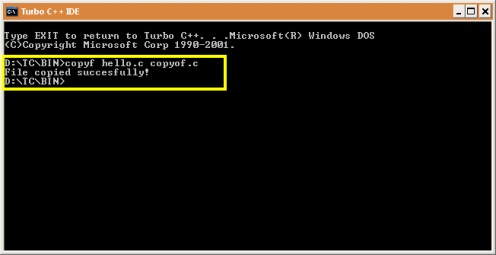
	printf("File copied succesfully!");
	fclose(fs);
	fclose(ft);
}
Important
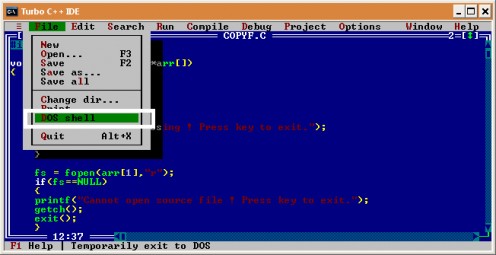
NOTE : Please don't save this program as "copy.c" otherwise it will not work. You can name it copyfile.c etc. I named it copyf.c.
Code Walk Through
As you can see this program is not for those who has just began C programming in their school or college. This is for those who have idea of file handling, function, pointer, array etc. So I’m not going to explain it line by line, only which I think is important will be explained.
Line – 5: This line is starting of the main function which accepts two arguments or parameters. First argument is an integer argument in the main function which stores the number of parameters provided at the runtime. In our program it has to be 3 (e.g. program_name source_file destination_file). Second argument in main function is a character array pointer, as you can see, which store the arguments.
Line – 7: This line declares two file pointer variables which we will need in our program. One file pointer variable will be used to read file and another will be used to write to file.
Line – 10-15: These line will check whether user has provided 3 arguments or not. If argument is less than 3 or greater than 3, then it will show error message.
Line – 17-23: In these lines we will open source file in read mode. To serve this purpose we will use “fopen()” function. This function requires two arguments, first is file name and second is file opening mode. It takes file name from “main()” function’s character array pointer argument. If “fopen()” function can open file successfully then returns pointer else returns NULL. We are checking this, if file is not found or file cannot be accessed due to security restriction then there is no need to execute program further.
Line – 25-32: In this block of code we are trying to create a new file. So we need to open this file in write mode. It also takes file name from “main()” function’s character array pointer argument. If fopen() function returns NULL then we need to close source file stream and exit program.
Line – 34-43: As you can see here we have declared an infinite while loop and the loop continues until end of file is reached. The “gets()” function reads character from given stream and stores character in ch variable then increments file pointer to next character. In line 42 we are writing character stored in ch variable to new file (ft file pointer) with the help of “putc()” function.
Line – 46-47: These two lines contain two same functions whose job is to clearing the stream buffer and closing the stream buffer. Because we are using two file pointer, so we need to close both of them.
I know this explanation is very concise for those who are new in file handling in C. But you can ask question about this topic through comment provided below. Thank you, keep visiting me.
Best books on C Language

Program Output
Related Links
- Call by Value and Call by Reference in C Programming Language
Call by value and call by reference is the most confusing concept among new C language programmer. I also struggled with this, the reason may be my teacher is not explaining it in simple words or I was dumb. Whatever the reason is; here I will try to - Brief History of the C Programming Language
The C Programming Language - Brief History. C is a programming language which born at “AT & T’s Bell Laboratories” of USA in 1972. It was written by Dennis Ritchie. This language was created for a specific purpose: to design the UNIX operating sy - Data Types in C Programming Language
A programming language is proposed to help programmer to process certain kinds of data and to provide useful output. This article will introduce you to the different types of data used in C. - Functions in C Programming Language
A function in C language is a block of code that performs a specific task. It has a name and it is reusable i.e. it can be executed from as many different parts in a C Program as required. It also optionally returns a value to the calling program So - Pointers in C Programming Language
In this tutorial I am going to discuss what pointer is and how to use them in our C program. Many C programmer thinks that pointer is one of the difficult topic in C language but it’s not completely true. It is difficult to understand in comparison o
© 2009 RAJKISHOR SAHU