- HubPages»
- Technology»
- Internet & the Web»
- Search Engines
Google Search Operators
Google Search Operators
Googol is the name that is given to the number 10100 (the digit 1 followed by one hundred zeros).
Nine-year-old Milton Sirotta (1911-1981), nephew of North American mathematician Edward Kasner, coined the term in 1920.
The name Google has been derived from the word "Googol" and has been spelled wrong by the founders Larry Page and Sergey Brin (as published in the book "The Google Story" by David A. Vise).
Google is the most used search engine on the web (perhaps, there is still somebody who doesn't know it...).
The most basic use consists on introduce a word or sentence in the search box and receive a search result listing.
Although this is the most common use, Google perform more sophisticated Queries and provide powerful Search Operators:
Do you want to try these Queries and Search Operators?
- Calculator => 845 * 56 + 10 * exp 2 ; pi ; e ; sin (pi/2) ; googol
- Currency Conversion => 100 USD in GBP
- Local Search => jewelry atlanta
- PhoneBook => M Bloomberg 212
- FedEx Tracking => 999999999999
- Weather => weather clearwater, fl
- Units of Measure and Conversions => 500 lbs in kg
- Stock and Fund Quotes Info => stock:csco
- Find Movies => movie:Battleship Potemkin
and much, much more.
Google supports several Advanced Search Operators, which are query words that have special meaning.
The syntax of the Search Operators is : operator:query
Some Search Operators can be combined to each other.
Most useful Search Operators and a brief description.
- define: Provide definitions for words, phrases, and acronyms from the Web.
- site: Search only one website or domain. Very useful to carry out searches in places that don't have internal searchers.
- intext: The terms must appear in the text of the page.
- allintext: All query words must appear the in text of the page. (can't be combined)
- inurl: The terms must appear in the URL of the page.
- allinurl: All query words must appear in the URL. (can't be combined)
- intitle: The terms must appear in the title of the page.
- allintitle: All query words must appear in the title of the page. (can't be combined)
- filetype:(or ext:) Find documents of the specified type.
What can be made with these Search Operators?. Now, the fun begins.
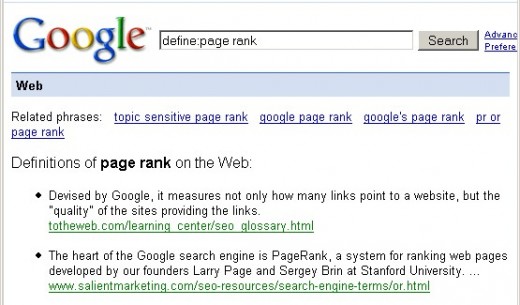
A really very useful Search Operator is "define". This operator will find definitions for a certain term or word over the Internet.
Very useful when you come across an obscure concept:
Do you need a pdf on some specific topic? Try the filetype operator.
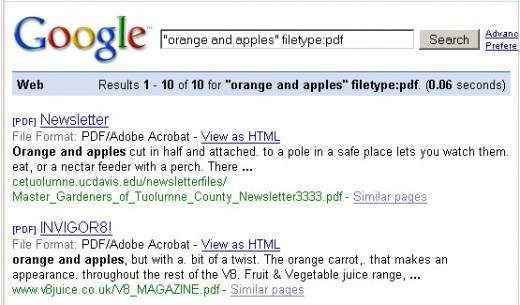
Filetype: (or ext:) may be pdf, doc, swf, jpg, mp3, avi or whatever you are looking for.
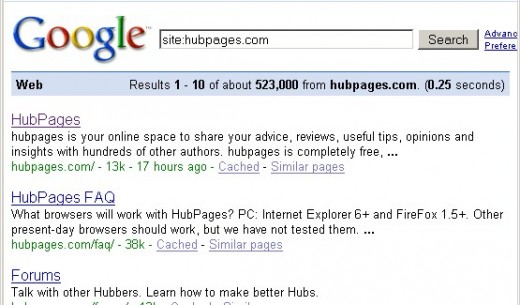
To find all the pages indexed by Google for an specific website, You can use:
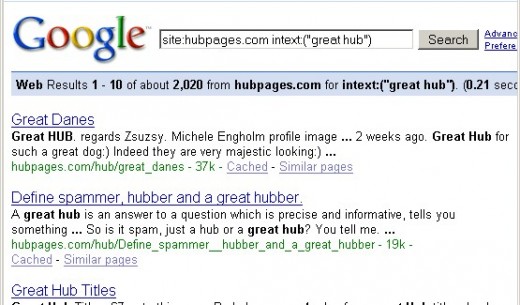
To find a sentence in a website you can use site combined with intext:
Or narrow the search in the forum:
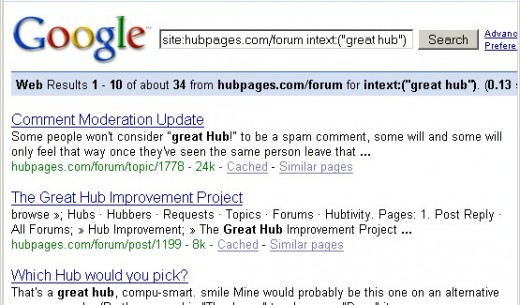
The same result can be obtained with
- inurl:hubpages inurl:forum intext:("great hub")
All In Title
allintitle:(keyword phrase) returns the number of pages targeting "keyword phrase" in the title. This give you a decent estimate of the competence for a certain keyword phrase.
Google Cache
Google makes an extra copy of most of the pages it indexes. Which means if you click on a page and it's not there anymore, often you can get google's copy to read the information that you want, look for the cached link.
The equivalent Search Operator is
- cache:"web page url" (without quotation marks)
If google doesn't have the desired page on file, you may find it in The Wayback Machine
For the end.
Around the world exist thousands of security cams belonging to companies, hotels and universities, or installed in public or semi-public places. Many of them are accessible through internet.
To find them using Google, use the following Search Operator:
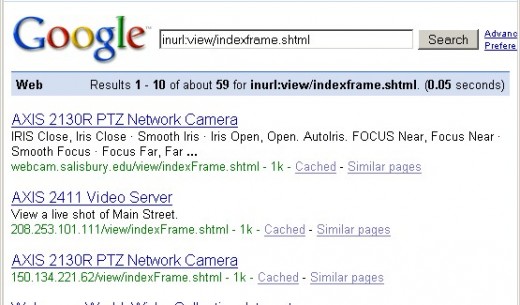
You can try these Search Operators too:
- inurl:"axis-cgi/mjpg"
- inurl:"viewerframe?mode="
- inurl:"view/index.shtml"
- inurl:"multicameraframe?mode="
Some of the cams let You control position and zoom.
The previous ones are some of the powerful tools that the Google Search Engine offers, achieving without a doubt, their objective of being the leader and show the road to follow.