Best Paid To Blog Sites

Online Resources
- LoudLaunch
Create market buzz and build links through sponsored reviews and blog advertising. - Paying Post
Advertise on blogs to build inbound links to your website. - ReviewMe
Where advertisers get traffic and buzz while bloggers earn cash blogging. - Smorty
Get paid to write the things you like.
Buy Blog Reviews
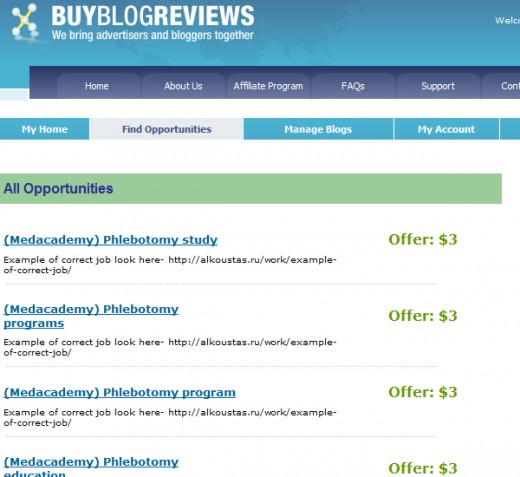
Buy Blog Reviews is one of my favorites. You are presented with opportunities and then get to bid on the ones that interest you and match your blog. Their offers are not usually very high and are generally around $3 - $15, though sometimes you can find a few in the $50 range.
Once a bid is accepted you'll get an email notification. You'll then have 7 days to complete the post. If you don't complete it in the allotted time, the bid will be canceled. You get paid through Papal on the 1st and 15th of each month. I'm a witness that they do pay.
They have a little badge that you're supposed to place at the end of your posts to show that it is a sponsored post. Many advertisers actually ask that you do not use it though; they want the post to seem natural.
Sponsored Reviews
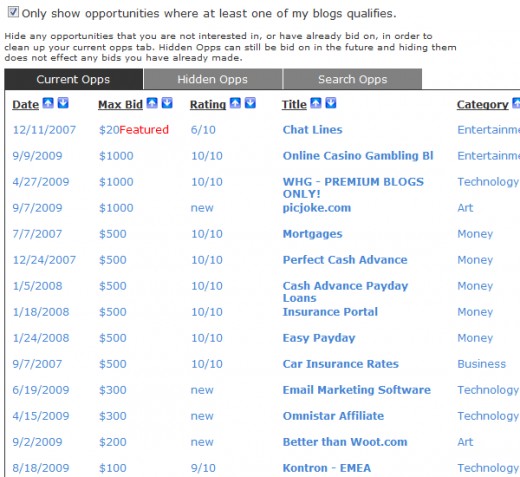
Sponsored Reviews works pretty much the same as Buy Blog Reviews (above) except they have higher priced offers. This one is my favorite because you can often find offers between $100 to $200 and once again, I'm a witness that they do pay.
Here you can register an unlimited number of blogs (as long as they meet the requirements). The blogs you submit must have at least 10 posts of at least 200 words, with quality content. You also have 7 days to complete posts here.
They pay on a bi-weekly (1st and 15th) basis via Paypal. I also like that you can sort opportunities by date, price, rating, title and category. You can also hide offers that you're not interested in. So, you only see what's relevant to you.
Screenshots
Click thumbnail to view full-size



Pay Per Post & Social Spark
Pay Per Post is the most popular site for getting paid to blog. Some claim to make from hundreds to thousands a month just from this site. Though it seems to be a great source of income for bloggers, I've also heard that Google penalizes blogs that write for them. Now, I don't know if this is true or just a rumor but, I'm warning you ahead of time.
By Google penalization I mean that it affects your pagerank by linking to PayPerPost on your blog (at least from what I've heard from others). Since PayPayPost requires you to add a badge at the end of a paid post, this adds a link on your blog to them. Supposedly, Google doesn't take this lightly (just like they frown on buying backlinks) and your pagerank suffers greatly.
They are also one of the harder sites to get into. I got rejected the first time I applied. I took some time to build up my blog some more before applying again. I was accepted the second time (about a year ago). Yet, I haven't done any writing for them because of all the penalization rumors.
Even though it's hard to get into Pay Per Post, it's a lot easier to get accepted by their sister site Social Spark. They offer affiliate opportunities that let bloggers get paid by driving traffic to a certain product or website. Bloggers get compensated on a cost per click basis. Social Spark is more of a community with profiles and a marketplace.