Increasing Gold, Silver, and Copper Prices: How to Plan a Computer Recycling and Disposal Business

Published: May 4, 2008
Updated December 14, 2011
The prices of gold, silver, copper, and other precious metals continue to rise. These metals, along with other commodities hide in some not so obvious sources: scrap computers, monitors, and other electronic devices. Some people claim that there is more gold contained in a ton of computer scrap printed circuit boards than there is in a ton of gold ore.
The recycling industry is growing steadily and if you are looking for an opportunity to work from home, this may be for you. I am not talking about dumpster diving for cans and bottles but recycling computers and electronics. This type of opportunity is not for the faint hearted or lazy because operating this type of business entails extremely hard work and is often very demanding. However, if you do not mind the long hours and hard work, the rewards could be worth the effort.
The premise of the business is simple: locate old, obsolete, and non-functional computers and electronics then dispose of the electronic scrap in a profitable manner. But how do you make money for your efforts?
One method to recycle computers is to clean up and resell some working computers at a low price then disassemble the remaining computers and sell the parts for scrap; this scrap contains gold, silver, palladium, and other precious and semi-precious metals. You may also decide to recycle peripherals like printers or communications equipment. You will find that when you pick up computers monitors and keyboards join the ride in a package deal. This collection of resources will help you start a computer recycling operation that you can grow over time.
Location Requirements
Entrepreneurs have launched computer recycling operations from basements and garages then moved to larger facilities as the operations grew. This is my suggestion for anyone first starting out in recycling scrap computers. All that you need to begin with is enough space to store, disassemble, and sort the computers and peripherals that you accumulate so a garage or basement may be fine in the beginning but make sure you have the room to perform the necessary tasks.
You will need a workspace area for sorting, dis assembly and clean-up operations, an area to place equipment before processing, and an area to store inventory and components. Recycling computers by disassembling the components require the ability to collect a myriad of different components and store the sorted volume until enough of a particular component has been collected to profitably dispose of.
- U.S. Small Business Administration | The U.S. Small Business Administration | SBA.gov
When the time comes to write your business plan, you can receive assistance from the SBA at this site.
Your Computer Recycling Business Plan
You will need a business plan if you wish to raise capital to help with the necessary expenses involved in a business start up. As a matter of fact, a business plan is a good idea even if you plan to go it alone. There are many resources available to help you develop a business plan but I suggest that you start small and grow your business. Your business plan should contain the following at a minimum:
- An Executive Summary
- The structure of your new company
- A description of your product or service
- Market and Industry Analysis
- Your Marketing Plan
- 3-year financial projection
- Top Ways for How to Recycle Electronics
Most people in the United States today do at least some recycling. However, the majority of us don't do nearly as much as we need to in order to help prevent the damage done to the earth by excessive waste.... - How To Make Money Recycling Copper
Recycling copper is an excellent way to make money especially with copper prices the way they are right now. You will probably not get rich but you could make some extra money or if you get really good you...
Marketing
No computer recycling operation is possible unless you have sources that need to dispose of obsolete or non-functional equipment. This is where marketing comes into play; the alternative is to go dumpster diving for discarded equipment.
Most modern businesses use computers as part of their operations, your objective is to secure the equipment that those businesses are disposing of because the equipment is either broken or obsolete. Many companies have rotation schedules that replace older computers with newer ones; the oldest computers are then discarded. Do not expect that those sources will come to you, although at some time this may happen.
You will need to sell your services to those companies. Yes, I said sell your services. Some estimates state that the cost to a company for computer disposal well exceeds $200 per computer if the company disposes of the computers using company resources. With this in mind you may well be able to sell your services to companies for $50 per system. You may be required to accept keyboards, monitors, and other assorted odds and ends as part of the service. This is a good thing because you will recycle whatever you remove from the company.
Advertising can also help you increase your customer base. There are plenty of avenues to use for marketing campaigns including news papers, magazines, and do not forget about online efforts. Your ability to recycle equipment will drive your marketing efforts somewhat. If you run the business part time to supplement your income you may not wish to handle more than 100 or so computers a year but if you successfully grow your business you may to generate as many customers as needed.
Gathering Computers
You will most likely need to pick up most of the systems you acquire. Remember to schedule the necessary time as part of your time management program. Try to schedule pickups on specific days and inform your customers of your scheduling requirements.
Many types of computer equipment will become available as computers reach the end-of-life. Computers may range from notebook and desktop computers to mini/mainframe systems that occupy entire data centers. Old network equipment like routers, switches, and firewalls may turn up along with PBXs that have been replaced by VoIP systems. You may simply clean up and resell some of this equipment and break down the rest.
Disassembly
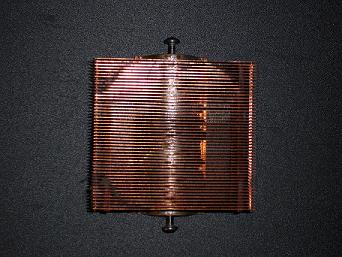
Taking a computer apart will reveal a number of distinct components. Major sub-assemblies will include the case comprising a chassis assembly and outer shell sometimes referred to as the skin. These components will generally be a combination of pressed steel and aluminum.
The other sub-assemblies will be mounted to the chassis and include the power supply, main board or system board, hard drives, floppy drives, and CD/DVD drives. There will also be some internal wiring, fans, and possibly a small speaker. Additional circuit boards may also be present depending on the options that were purchased with the computer.
Precious and Semi Precious Metal Prices
- Scrap Copper Prices
Classifications and spot prices for scrap copper. - Scrap Aluminum Prices
Spot prices for scrap aluminum. - New York Spot Prices
Spot prices for gold, silver, platinum, and paladium.
Sorting Components
On some occasions, you may acquire systems that are totally functional and these systems you can donate to charity or resell; more on that later. Most systems will be too old to be of any use to anyone or just plain broken. These systems are the ones that you must disassemble then sort the parts.
You will accumulate an assortment of components from dis-assembly and these components must be sorted and classified. Some of the components you will be able to sell on the scrap market such as the metal chassis and plastic skins. Other components will need to be stored until enough of the component has been acquired to sell as a commodity.
Believe it or not, there is a market for scrap circuit-boards. Some components may also be stripped for precious metal content. Many Integrated Circuit (IC) chips contain gold plate on the circuit leads or surface-mount pads. These components can be saved then processed to reclaim the gold.
Reclaiming the gold from components is a dangerous undertaking best left to professional metal processors. The processes require the use of acids, which lead to more toxic waste unless properly neutralized and disposed of. However, many precious-metal buyers will process the components that contain precious metals so those buyers are the best avenue for recycling precious metal containing components.
Precious Metals: The Dream of the Recycler
There are many avenues to follow when recycling computers but one of the most lucrative is reclaiming precious metals from the components. Different components contain precious metals but the most common precious metal contained in e-scrap is gold. Some of the sources of e-scrap precious metals follow:
- gold - contained in the fingers of many printed circuit boards, including memory modules. Some older telecommunications PCBs used gold foil for the traces of entire boards and these boards are worth a premium. Gold is also contained in some micro-circuit chips and some older CPU processors contain gold in the backing.
- Palladium - monolithic ceramic capacitors contain Palladium or a mixture of palladium and silver.
Material Destruction
Some components cannot be disposed of in their native form but must be physically destroyed. This may be a security requirement arising from privacy concerns and the need to preserve the confidentiality of information. Companies that face these issues will require that you destroy media to the point where data recovery is not possible. Such media would include hard-drives, Cd's/DVDs, floppy disks, and magnetic tape.
Do not despair, there is a market for the material produced from the destruction of these types of media. The material produced by shredding Cd's/DVD's, floppy disks, and magnetic tape can be sold on the scrap-commodities market; so is the material produced from shredding hard-drive platters, which may contain platinum.
Licensing, Permits, and Regulations
Licensing and permit requirements vary from one locality to another. Check with the Chamber of Commerce in localities where you will do business to check on the need for licenses and permits, their availability and requirements.
Pay attention to advisories concerning regulations from the Environmental Protection Agency (EPA). Some materials contained in computers are considered as hazardous material so HazMat certifications may be necessary in some instances. The main concern when transporting old equipment is leakage to the environment so be very careful when transporting batteries.
Related Legislation
- Call2Recycle | United States
Many states now require companies to store and recycle certain types of batteries.
Special Handling and Hazardous Materials
Many batteries are classified as hazardous material, including batteries of various forms: lead acid batteries removed from UPS systems are probably the most hazardous because of the possibility of leakage. However, other batteries may also be classified as hazardous because of poisonous content or the risk of explosion.
Some other computer components may be classified as hazardous like the capacitors in power supplies and on circuit boards that contain liquid electrolitics. Cathode-ray tubes also require special handling and storage techniques because they contain mercury. Circuit boards are not permitted in most land fills because of the lead contained in the solder.
Take special care when handling or transporting these materials and check on any federal, state, or local regulations.
Material Buyers
- State Paper & Metal Company
Buys all sorts of paper and metal scrap. Located in Toledo, OH. - National Recycling Network
Specializes in plastics. Contact the company for pricing information concerning what they buy and how much they pay.
Documentation
Document the disposition of all equipment that you acquire. Get a signed bill of sale or release form when picking up equipment from customers. This may seem like a trivial matter but you will think differently when Smokey pulls you over and you have 25 scrap computers sitting in the back of your truck or the scrap-buyer refuses to pay for materials because you cannot prove ownership.
You may also be required to provide evidence that you destroy hard rives containing sensitive information and to provide this evidence you will need the ability to link components back to the machines that those components came out of. The best way to destroy the information on a hard drive is to disassemble the drive, then shred the platters. Low-cost equipment is available for such purposes.
Document the procedure by photographing the drives being removed from the computer and create a video showing the dis-assembly and destruction process. You can then provide the photographs and videos to the customer as proof that you performed the activity. However you document the procedure, make sure that the drives are in fact destroyed. You do not want to face a law-suite arising from information surfacing that was contained on a drive that you certified as being destroyed.
Recycling Equipment
- Ohio Baler Company
Ohio Baler Co. is a distributor of new and used recycling and material processing systems.