- HubPages»
- Technology»
- Internet & the Web»
- Social Networking
How to add your blogs RSS feed to Facebook

Why you need to add your RSS feed in Facebook
With millions of users and many more joining everyday Facebook is definitely a very good source of traffic. Facebook Notes application provides you with a very simple way publish links to your blog posts so you can easily tap into this massive traffic source. The best thing is you can set it up and forget about it and it will do the work automatically for you. Then every time you publish a new post a link to the post will appear in your Facebook page so all your friends can see it. Your friends can like them or comment on them and now they will be visible to the friends of your friend. I hope you see viral traffic potential of this method. Lets see how you can import your blog posts to Facebook using RSS feeds.
How to import your blog posts using the RSS feed
Below mentioned steps will do the trick for you,
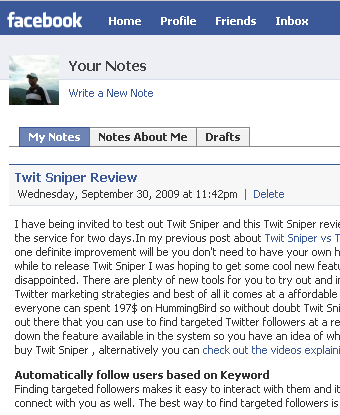
- Go to your Facebook Account and go to the "Notes" application. Notes comes by default with every Facebook account so unless you removed it , it should be there.
- There you will see Notes settings , click on the "Import a blog" link
- Add valid RSS feed link in the "Web URL" section , click the check box to agree to user agreement and click "Start Importing"
- Then check if everything is as expected and click "Confirm Import"
And now every time you publish a blog post it will appear in your time line.
Some more useful tips
There are more places where you can add your RSS feed and import blog posts to Facebook. Facebook pages is another place where you can import your blog posts. Your blog posts are not the only RSS feed you can consider importing , you can even Import your hubs , Go to your HubPages profile and you will see a link similar to subscribe to rumbling's RSS feed , copy that links location and add it as the "Web URL" and every time you publish a hub it will appear in your time line. Well one limitation of this method is that you can only import blog posts from one feed , so if you have multiple blogs then you cant import them all. Well there's workaround for that too , but that's for another hub. Be on the lookout for how to join few RSS feeds and create one single feed.
If you enjoy this article please spend few minutes to rate it. If you have any question feel free to ask in the comments section.