How to delete google toolbar search history

Google toolbar search history
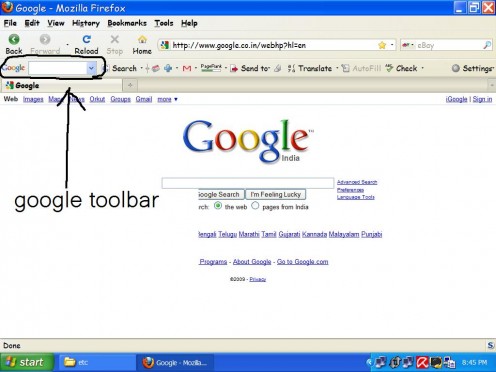
If you have installed Google toolbar for FireFox or Internet explorer it will show up in top side of browser as shown in picture below.It is a cool tool to have because it helps you to search using google without going to google.com .
Just type in search term in the search box and click enter .You will get search results.
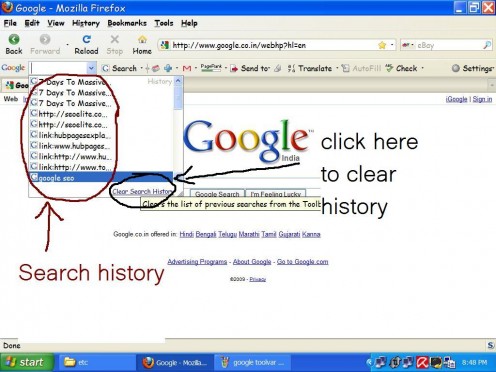
What ever you search using this tool will show up when you click on the drop down box of google toolbar.Refer screenshot below.
To clear the history , click on clear history link that shows up at bottom of history and it will be cleared.