Hubpages.com and Small Funny Tricks in cmd Prompt

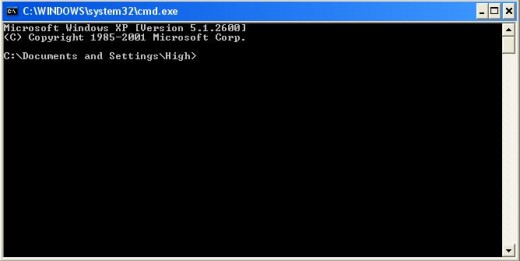
The hubpages.com make me mad to create and publish hubs. Sometimes my Internet connection arises problem and I really hate Internet that moment. So, I have nothing to do at that time. Because I don't be able to write to publish in hubpages. A few moment ago, my Internet connection is lost. So, I've nothing to do then. I opened my computer's cmd prompt and do change some of the outlook of my command prompts. So, this page is basically a fun page but with the fun learn some of the cmd prompt styling. I think you like it. Black command prompt is the ancient prompt of windows. Make it change and laugh....
To change anything of your command prompt, at first follow the following two steps:
- Click on Start menu and then click on Run.
- Type cmd in the "Run" text-box and hit Enter key of your keyboard.
Change the title of command prompt
Write the following texts in your command prompt and hit Enter key.
title hubpages.com
What are you seeing. You will see that the title of command prompt changes and it's showing the title as hubpages.com
You may also change your own text there. Just delete the text "hubpages.com" and type of your own text and finally hit Enter key to change the title.

Change the color of cmd prompt background
You can also change the command prompt background color. When I open the cmd prompt the black screen always come to my eyes. I want to make it other color. So, I put the color command and the value to change the background color. Type the following texts to change the background color
color 00001F
What are you seeing? You see that the black background is gone and now the blue background is appeared.

Open any website form command prompt
You may open any website from the command prompt. It's very simple and easy. Just type the following command and hit Enter key:
start hubpages.com
I think, my Internet connection is ok now. So, I don't want to play much game right now. It's time to jump on hubpages.com. So, I type the above command and want to say you "GOOD-BYE"...
© Written by rancidTaste