Maximizing uTorrent speed

About This Article
In this article you will learn step by step how to customize your utorrent and get more download speed. Additionally you will learn how to get more seeds and peers, patching tcpip etc. If you follow this article I am sure you will get a whole new experience of using utorrent.

The Torrent Client
If you do not have a torrent client software then my personal recommendation is utorrent. Visit this page http://www.uTorrent.com to download the latest utorrent client software.
speedtest
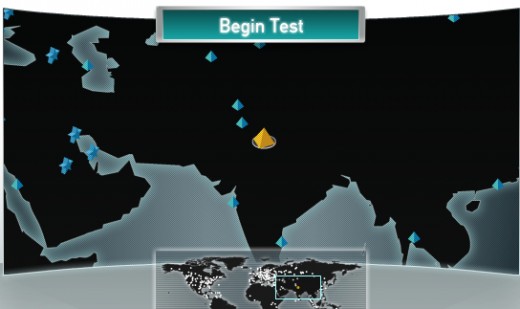
The speed test
If you are not sure of your download/upload speeds, then visit http://www.speedtest.net to run a speed test. The defult Server (golden pyramid) works out
most of the time. Or you can select 2 or 3 different server around you to find out the mean result.
Note down the Download and Upload speed including the unit (e.g kbps/mbps); You will
need them later.
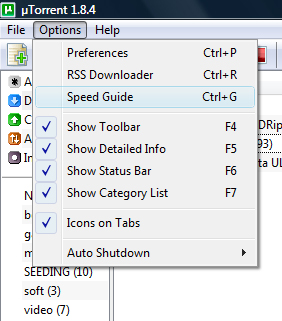
older version
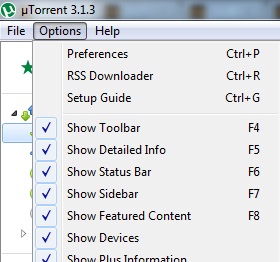
newer version
utorrent Upload Speed Setting
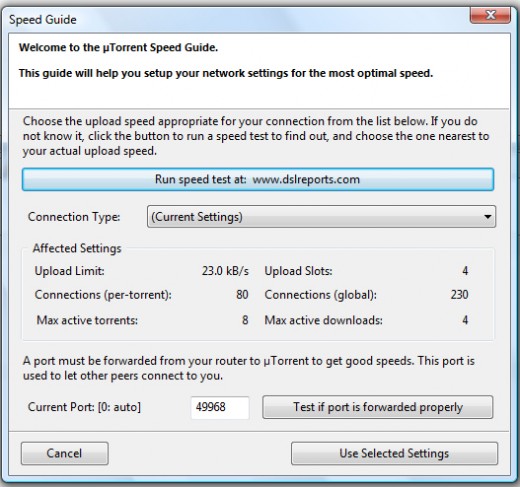
Step 1. Run utorrent. On the utorrent window go to "options" menu then click "Speed Guide". In the newer version of utorrent the option "Speed Guide" has been changed to "Setup Guide".
Speed Guide Dialog Box
Setup Guide Dialog Box
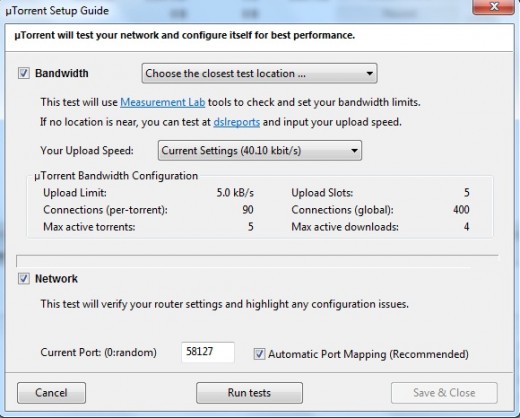
Step 2. The Speed Guide or Setup Guide window will appear. Now the value that we are interested in right now is the result you get from the speedtest.com
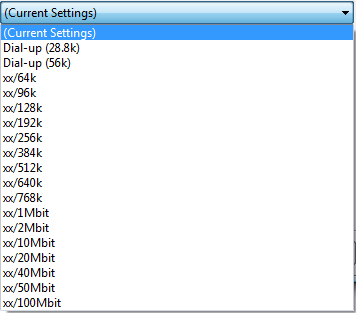
Older Version
Newer Version
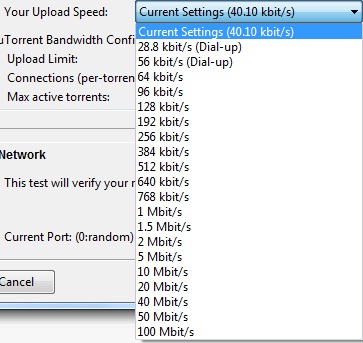
Step 3. Select your connection type or upload speed from the preset list.
- Your connection should be near to one of the categories.
- You can easily select your connection type from the upload speed result you get from the speedtest.com.
e.g "xx/384k" means that your download speed unlimited and your upload speed is 384kbps.
- uTorrent will automatically adjusts the "Affected Settings" area with recommended values for your upload speed.
Step 4. Click on "Use Selected Settings" button. On the newer version click "save&close" button.
The Speed Guide configuring is complete.
Half-open limit fix
Advance Configuration
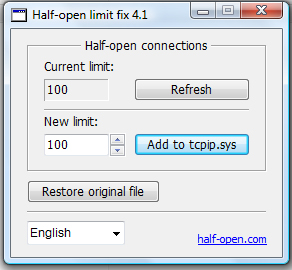
Step 1. Patching tcpip.sys (Only required for Win XP and Vista. Not needed for Win 7)
- Half-open limit fix is a good utility to patch tcpip.sys To download it go to http://half-open.com/download_en.htm (current version 4.2)
- Download the zip file and extract all files into a folder.
- Open the folder and right click on Half-open limit fix.exe file then select run as administrator.
- On the window, first you will see the current half-open connections.
- Enter 100 in the new value section and the click "add to tcpip.sys"
- Restart your computer.
- If something does not work properly and you want to undo the changes then run the software again and then click "Restore original file"
Advanced menu
Step 2. Configuring utorrent
(Use this only if your version is older than 2.x.x)
Now that you have patched the tcpip.sys it is time to configure utorrent.
- Run utorrent.
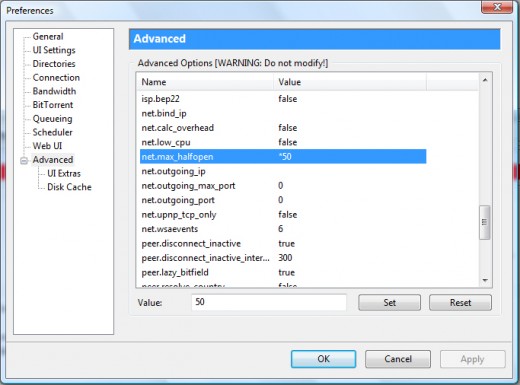
- Click on options then preference.
- Click on Advanced on the left column.
- Look for "net.max_halfopen".
- Change "net.max_halfopen" value to 50 then click set.
- Now click Ok.
- Select all the torrent and stop them.
- After 10 seconds start them and watch the speed.
Note: An asasterisk (*) will appear when something is changed from its defult value.
hash value
confirmation dialoag box
Adding More Tracker
You can add more public tracker to get more seeds and peers.
You can add more trackers in two way.
1.Similar torrents
Follow the below steps to find and add more tracker into a torrent.
- Select the torrent by clicking on the torrent name.
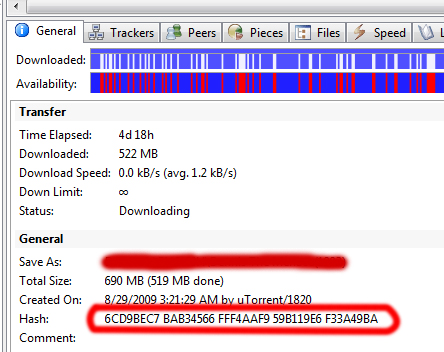
- Click on the General tab below.
- There should be a field labeled Hash near to the bottom with a string of alphanumeric characters.
- Right-click the string and click Copy.
- Go to google.com and paste the value into the search box and hit enter.
- There sould be a few result of particularly that torrent from all the torrent site.
- Download the torrent from all sites.
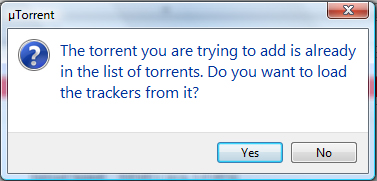
- You will get a pop up box like in the image.
- Click "yes".
- Now your torrent will get more seeds and peers.
tracker properties
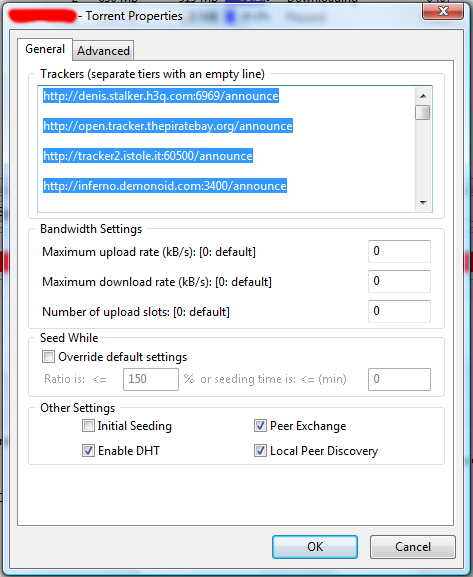
2. Download public tracker list
- To get the tracker list go to the link below
http://www.4shared.com/file/149081589/ed4e2399/public_tracker_list.html
- Download the "public tracker list.txt" file in your computer.
- Run utorrent.
- Now right click on the torrent you want to add tracker.
- Click properties.
- You will see some trackers under General tab.
- Copy the text from the file and paste it at the end of previous tracker list.
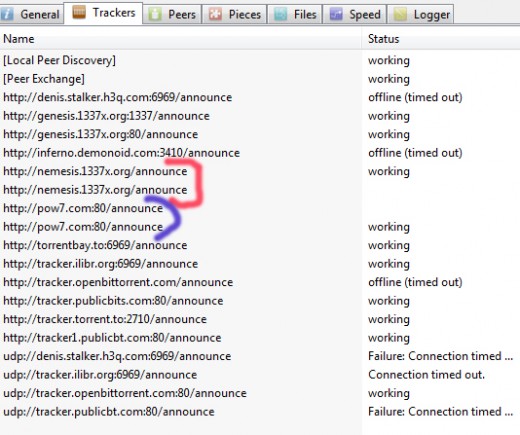
- Now click on the tracker tab and check if there is any tracker listed twice. If there is any then remove one by right click on it and then click "Remove Tracker".
You will get much more seeds and peers.
Best Trcker List
This tracker list is my personal favorite. This list contain few tracker but works very good.
Download this tracker list and add them in the torrent properties. Do not replace previous trackers. Add them at the end after a blank line.
http://www.4shared.com/file/243122669/7f2fb72f/best_torrent_tracker_list.html
If you do not understand anything or have anything to know about please leave a comment or question. Please share your trackers also with us.
Thank you.