How to get TV content for the iPod Video

The iPod is currently the major music player of the mp3 era. Although competitors, such as Microsoft with the Zune, are trying to compete for part of the market for iPods, there are no signs that Apple is gonna let the iPod franchise to lose power, at least in the near future. Apple is always launching improved products, and much more importantly, integrating the iPod into everything, from cars to athletic shoes.
The latest incarnation of the iPod introduced the capacity of playing video. Music videos, video clips, and TV programs are examples of the type of content you get to play in your iPod. If you have an iPod video, you literally have the opportunity of watching hours of entertaining videos. In this page, I will show you what types of videos you can get to play in your iPod.
The selection on iTunes store
The best place to start looking for videos to play in the iPod is certainly the iTunes store. But, certainly, this is not the only place, as I wil show latter.
The iTunes store is the Apple's secret for the success of iPod. One can quickly find videos for the iPod with the help of iTunes, ranging from sports events to the latest music videos.
iTunes charges for the number of downloads, and most videos are priced similarly (the same way they do with music). You pay a flat tax for each video and you can watch it in the iTunes, in the iPod, or in any computer that has your license code. There is, however, a restriction on the number of computers where you can present your video.
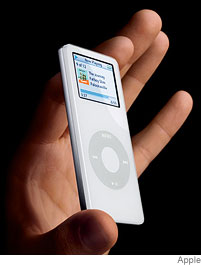
Categories of video in the iTunes store
The selection of videos is always changing, and Apple is working hard to add new videos every month, at least. They recently signed Disney, the company that is partly controlled by Steve Jobs, to distribute Hollywood movies through the iTunes store.
First you will get video clips for many of the major singers and bands. Each download is 1.99, and you have a wide selection of singers.
Similarly, you can get TV videos to see in your iPod. Award-winning TV programs are being distributed for the iPod, as for example the Daily Show, with John Stewart.
Finally, you can get some of the latest Hollywood movies in the video format, to be watched on the iPod. You can download them for around $15, and they will provide you with lots of fun during travels and long waits.
Other Video Options for the iPod
The iTunes stores is not the only option you have in this area. You can also get videos for your iPod
Other sources are also available that can be used to meet the new demand for media and entertainment in our households. For example, Amazon has recently initiated its media service. They are now, along with Apple, distributing thousands of movies.
Amazon music service is also very diversified, and you can find almost any musical choice you may be looking for. The nice thing of the service is that you can get you music in several devices, while Apple's service is mostly targeted to the iPod and iPhone brands.
Along with the major players, one can also find other, smaller services that provide good quality entertainment. For example, websites such as grooveshark have sprung up lately. They allow users to listen to unlimited music without any payment -- you just see a few advertisement spots in their website.
Conclusion
As we saw, the iTunes store is not the only way to get video files for your iPod. If you want to enjoy your player completely, you should explore what is available in some of these online download services.
Many services have been created in the last few years. Some of these services are from big competitors, such as Amazon, and some from smaller. Buy, along with the network capabilities of the iPod, you can enjoy video and music from different sources. This is the best way to get most of your investment on the iPod.