create your own

Use Gnome to Manually Configure Your IP Address in Linux

64
rate or flag this page

By nicomp

Introduction

By default, Fedora 11 seeks out a DHCP server and requests an IP address from it. In some circumstances it becomes necessary to manually configure IP parameters. For example, to properly set up port-forwarding behind a firewall, a Linux host will need a static local IP address. In this tutorial we demonstrate how to manually configure basic IP parameters through the Gnome desktop. We then verify the results by using the ifconfig command from a bash shell.
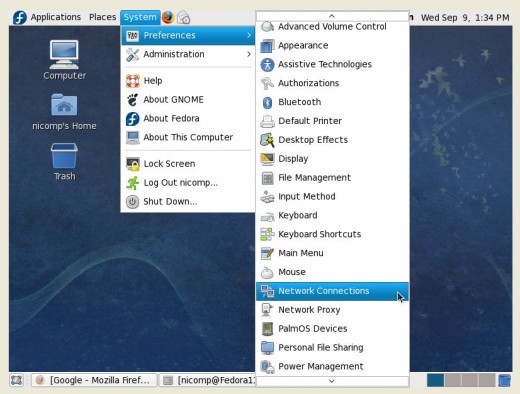
The Gnome Desktop

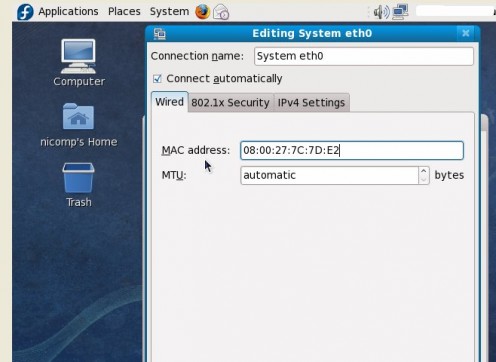
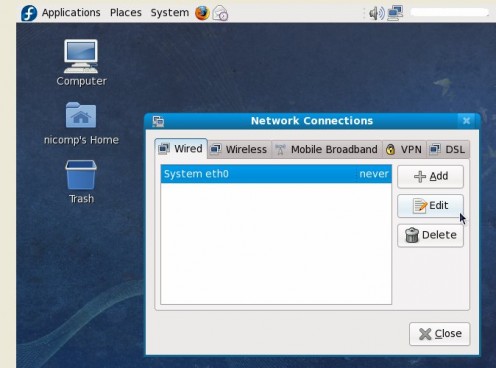
eth0 is the first Ethernet connection. It may be virtual or physical. Click on the Edit Button.
The MAC Address can be spoofed here, but that's another topic for another day.
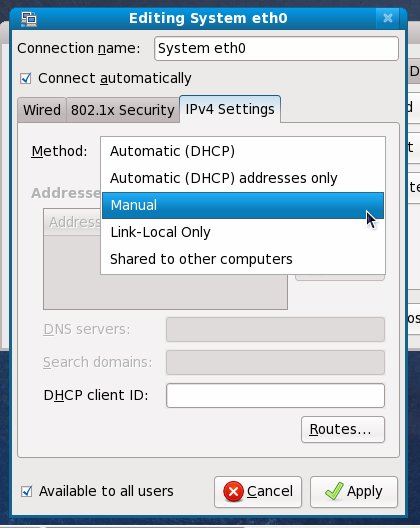
Click the IPv4 tab, then the Add Button.
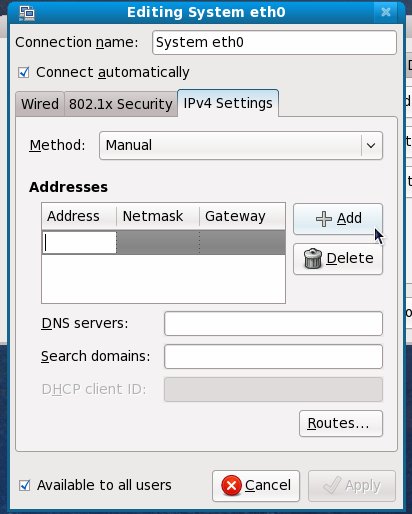
Click Add to create a blank set of values.
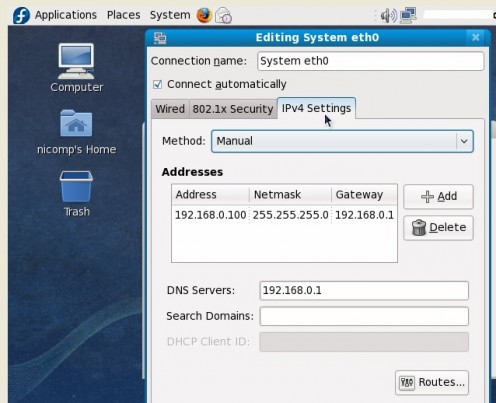
Make changes to the IP settings
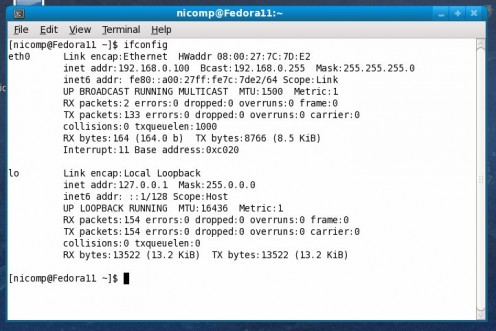
Verify the changes. We use a bash shell and the ifconfig command.

Comments

RSS for comments on this Hub

FellowOfLinux  says:
2 months ago

Good explanation!

Submit a Comment

Members and Guests

Sign in or sign up and post using a hubpages account.


optional


  • No HTML is allowed in comments, but URLs will be hyperlinked
  • Comments are not for promoting your hubs or other sites

working