create your own

Artistic Effects Using Adobe Illustrator

70
rate or flag this page

By Dorsi


Traditional methods of art are fun but so is Adobe Illustrator!

A Beginners Tutorial For Adobe Illustrator


Creating Fine Art In Adobe Illustrator

How would like to be able to create a watercolor out of your photograph in less than 5 minutes? How about a pen and ink version in the same amount of time ? How could that be possible you say? Not artistic? Doesn't matter when you use artistic effects in the Adobe Illustrator software program.

With the invention of software programs like Adobe Illustrator CS2 , creating fine works of art from your photographs has never been easier than with the click of a button.

Since I am a also a traditional artist working in mediums such as watercolor and oils (the old fashioned way), Adobe has allowed me to do things that I would have never considered doing before. Those beautiful photographs that would once take days and hours to complete by hand can now be created at the blink of a click (well not quite that fast but much faster than the traditional way of painting)

Using the artistic effects filter in Adobe is one of the latest "mediums" I've added to my career- in fact it's revolutionized the way I look at art. Like I fondly say, it's not a replacement for traditional methods- it is simply another medium, and another tool to add to my arsenal.

To use the artistic effects in Adobe Illustrator you want to go into the toolbar and select filter. You will then get a drop down menu and you will select "artistic". You will then be given many different choices of what to do with your photograph. In the example of the sunset in this article, I have rendered the original photo in 5 different ways using the dry brush effect, the film grain effect, the fresco effect, a glowing edges rendition and also a neon glow effect.

The really great thing about using this filter is that you can take the photograph and make it look like it's been hand painted, then send it out for development just as you would any other picture, make a custom greeting card with it, blow it up and make into a poster, or even make wallpaper with it (no kidding) . The creative uses are endless.

So the next time you look at that photograph and wish it was done in watercolor instead...guess what? You can do it yourself. Put on your Rembrandt hat, pick up that mouse and open the artistic effects filter in the Adobe Illustrator program, and voila- a masterpiece is born!

Original Photo In Adobe Illustrator
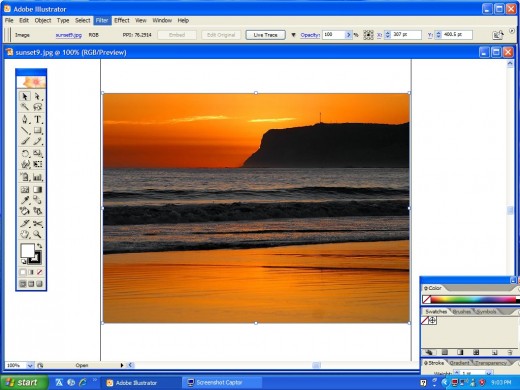
This is a screenshot of the original sunset image

Dry Brush Effect Using Adobe Illustrator
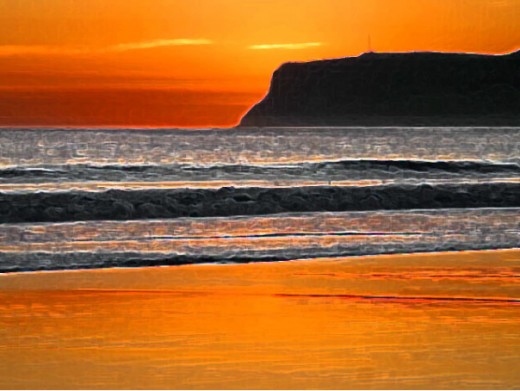
I think this is a beautiful rendition- I like the way the waves turned out

Neon Glow Effect Using Adobe Illustrator
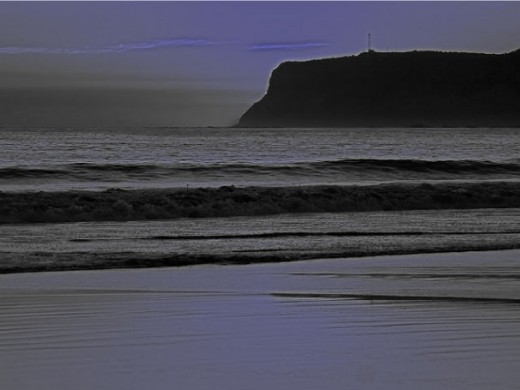
This is interesting- almost looks like this was taken at night

Film Grain Effect Using Adobe Illustrator
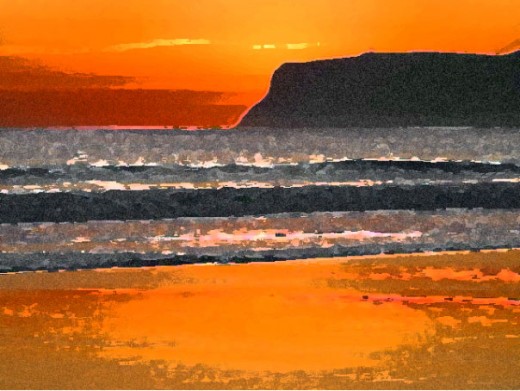
The Film Grain Effect is one of my favorites- I love the softness of the image

Glowing Edges Effect Using Adobe Illustrator
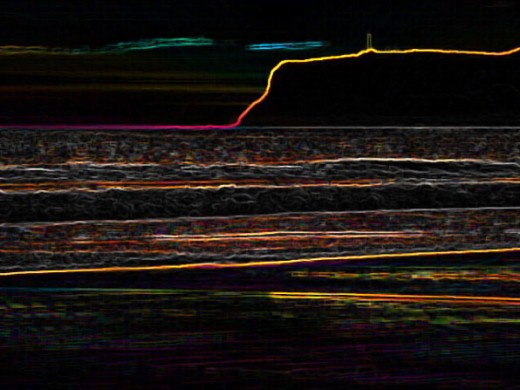
Now this is very interesting- you can still see the shape of the image but it sure looks totally different from the original photograph!

Fresco Effect Using Adobe Illustrator
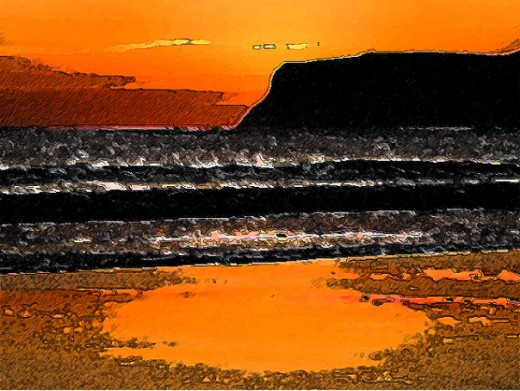
The Fresco Effect is another one of my favorites- I use this one often in Adobe Illustrator

Classroom In A Book - Highly Recommended!

Adobe Photoshop CS3 Classroom in a Book Adobe Photoshop CS3 Classroom in a Book
Price: $24.80
List Price: $54.99
Adobe InDesign CS2 Classroom in a Book Adobe InDesign CS2 Classroom in a Book
Price: $8.62
List Price: $55.00
Adobe Photoshop CS2 Classroom in a Book Adobe Photoshop CS2 Classroom in a Book
Price: $15.00
List Price: $54.99
Adobe Photoshop CS4 Classroom in a Book Adobe Photoshop CS4 Classroom in a Book
Price: $29.99
List Price: $54.99

Comments

RSS for comments on this Hub

silvalinings profile image

silvalinings  says:
2 years ago

Fun! I love this application. I'll be sure to check it out.

C.S.Alexis profile image

C.S.Alexis  says:
2 years ago

Informative hub. Thank you Dorsi.

stylezink profile image

stylezink  says:
17 months ago

I find it very interesting that you use Illustrator for editing your pictures, Illustrator is more for adding and editing text to an already exiting photo.

I would recommend using Photoshop to add your artistic effects and editing, this is what it is for and in the event you want to add type to your image you would then pull your photoshop image over to Illustrator.

Just a suggestion

Dorsi profile image

Dorsi  says:
17 months ago

Stylezink- thanks for the suggestion to use Photoshop but I don't have it yet! I'm afraid to get it right now because my husband might never see me then...lol... Seriously, I'm going to get it at one point because I'm really starting to get into photography, and I love anything artistic.

I still haven't learned everything about Adobe Illustrator- but I've learned enough to be dangerous!!

Submit a Comment

Members and Guests

Sign in or sign up and post using a hubpages account.


optional


  • No HTML is allowed in comments, but URLs will be hyperlinked
  • Comments are not for promoting your hubs or other sites

Questions on Adobe Illustrator?

Art in the News

  • Couples' $40m art of warNew York Post1 second ago

    It was a picture-perfect arrangement. As the girlfriend of internationally renowned art collector Udo Brandhorst, gallery curator Venetia Kapernekas lived the good life, even receiving $1 million from him as a gift. A few years later, Kaperneka...

  • Art students learn to express themselvesSan Francisco Chronicle2 hours ago

    Art is a tricky one. Tricky to define, create or even write about. Art historians might tell you that the graffiti artist tagging in the alley by your house doesn't hold a candle to van Gogh, but who's to say really? This is, after all, San Francisco, which...

  • Art students from the UM, FlU and the New World School of the Arts receive constructive criticism from museum curatorsMiami Herald1 second ago

    Huddled into a cold, dimly lit room at North Miami's Museum of Contemporary Art on a Monday morning, high school and college students nervously waited to show their work.

working