- HubPages»
- Technology»
- Computers & Software»
- Computer Software
Free Registry Cleaner Reviews: is it Cleaner that you need?

Do You Need a Registry Cleaner?
How do you tell it's time to do a Windows registry repair?
There are certain symptoms that can't go unnoticed, namely:
- Windows boots damn slow;
- It takes ages for the desktop to appear;
- You cannot restart Windows other than by pressing "Reset";
- Task Manager or other components are disabled;
- Double-clicking on a folder produces some kind of error box;
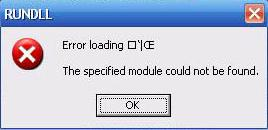
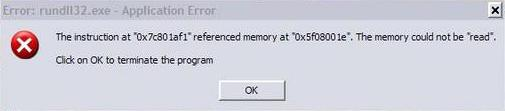
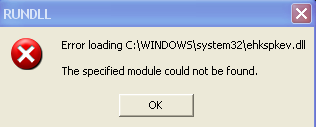
- Errors stating "RUNDLL32..." pop-up.
This is a very short list of symptoms you should pay attention to.
What should be added here, however, is that registry problems can have 2 main causes:
- Improper use of Windows, programs, etc.
- Malware activity;
- A combination of both.
What is Windows Registry
I bet you've seen people pleading for help on forums: "My Windows registry is corrupted!", "how can I clean up the registry?"
Windows registry itself consists of several files, which contain loads of important information, I mean - very important. It is the matrix of Windows, it contains all paths to all files, links, shortcuts, descriptions of operations to be executed, Internet connection settings, Network settings, and much more information needed for Windows system performance. In short, you never see working Windows without healthy registry. If it's corrupt, Windows is corrupt.
Sadly, there's NO computer running Windows that has error-free registry. Because the latter contains tons of records, it is very easy to make some change to it - via installing or uninstalling program, or simply running any application. Depending on how properly a program is coded, it can change or remove entries from the Windows registry.
With the time going by, users running different programs and performing various actions on a computer make those changes pile up until they reach certain "peak" when Windows starts behaving oddly. Say, it refuses to load Internet Explorer, or blocks C: drive so you can't get access to your folders and files.
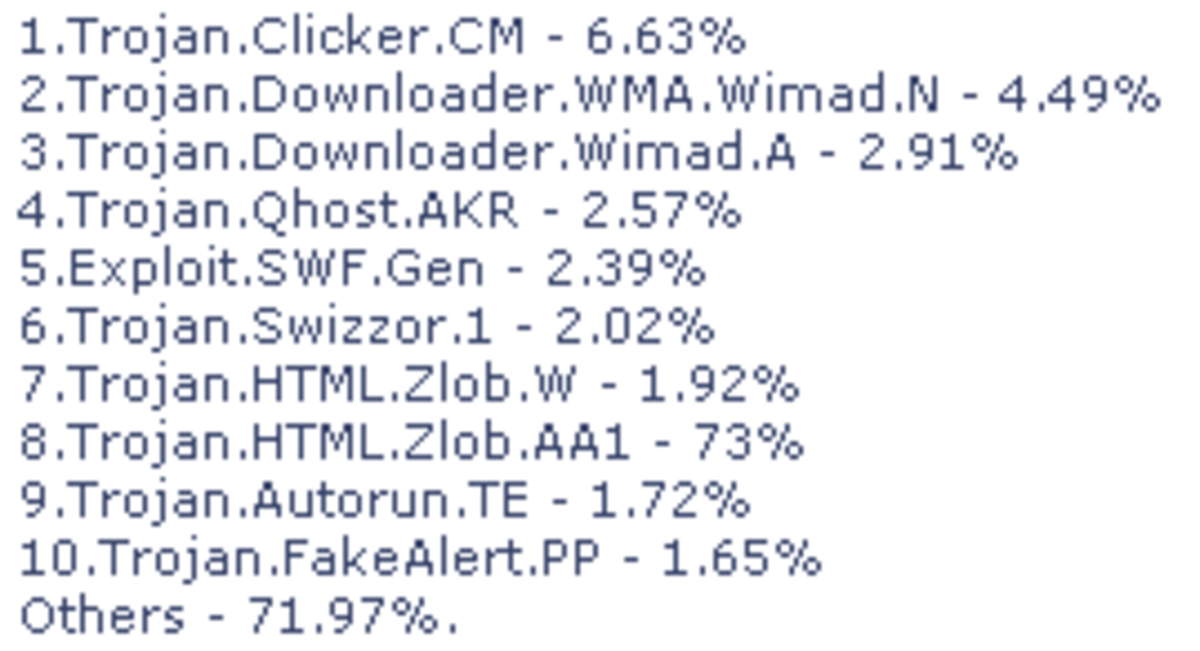
Let's not forget about virus infections as well - there are thousands pieces of malware that turn Windows literally upside down.
Note: it's not that difficult to remove 99,99% of infections using proper antivirus and antispyware tools. But it is next to impossible to repair the registry and have it functioning as new.
Therefore it happens that once antivirus software has cleaned out the malware, Windows starts working worse than it used to. It is because malware changes certain system entries to its needs, but antivirus programs consider those entries malicious (which is natural) and remove them, thus leaving "holes".
That's why antivirus cleaning often reveals the discrepancies and inconsistencies that were masked by malware.
Microsoft Windows System Error
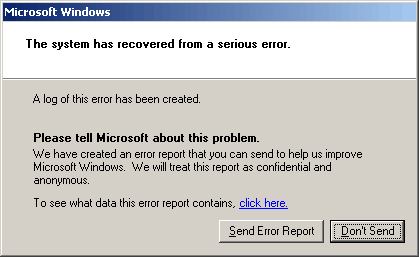
Errors Caused by Spyware
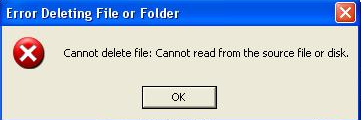
Windows Explorer Error
Rundll32.exe Application Error
RUNDLL Error
Internet Explorer Error

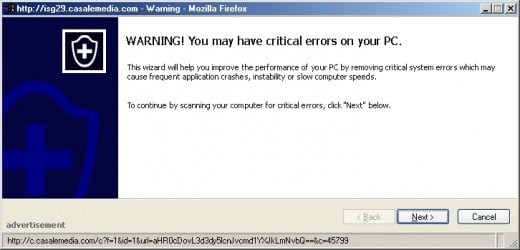
WARNING
Because Registry is an integral part of Windows, it is crucial to be sure that you know what you're doing with it. Keep in mind that any modification done to registry may cause Windows stop booting or corrupt user's settings.
Backup Before Doing a Clean-up
Making registry backup on a regular basis is recommended for all computer users. In fact, everyone sooner or later comes to this conclusion after losing important data.
Since we're talking about Windows registry, let's stick to preserving solely this crucial part of the operating system.
There are 3 ways to do a backup backup:
- manually;
- with the help of backup tools and software;
- automatically, using either Windows built-in backup utility or third-party software with task scheduling.
The first way generally is not recommended for most users. It's very easy to make a mistake and save only parts of Registry instead of entire hives.
The second option is most popular because it requires no special knowledge of Windows. There are lots of third-party tools that make the process of backup a breeze.
The third option is suitable for users who take extreme care of their workstations. Automatic backup is a cost-affective way to have a safe working copy of Windows registry for every day or week depending on how paranoid the user is ;)
Since Windows XP Microsoft has included its own utility for backing up the registry. It's called NT Backup and is installed by default in Windows XP Professional. Windows XP Home users can install it from the CD.
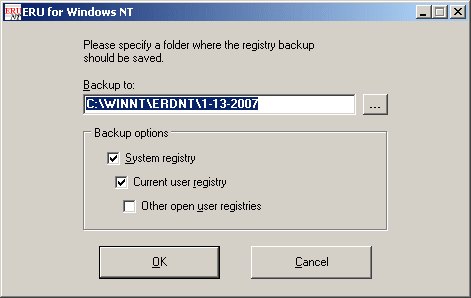
I'll shortly describe a nice backup tool called ERUNT (Emergency Recovery Utility NT).
ERUNT creates a complete backup set, including the Security hive and user related sections. There are no additional options other than to select the location of the backup files. This makes the process of backup a snap for any novice.
Once installed, ERUNT will create a backup of your registry in C:\Windows\ERDNT\{today's date} each time the system starts.
If anything goes wrong, go to the specified folder and double-click an icon named ERDNT. The program will walk you through the registry backup restore process.
So, should you get infected with a nasty malware, or want to completely reverse the changes made by a new application, all that is needed is to go to a ERUNT backup created before the problem occurred and run the restore utility.
Download ERUNT FREE Backup & Restore Utility.
Backup
Commercial vs. Non-commercial
There are opposite points of view as to whether commercial registry cleaners are better than free software options. Defendants of commercial products use 3 main arguments to support their stong belief:
- Commercial registry cleaners are updated regularly;
- only paid software owners receive professional support;
- programmers work harder when they are paid.
I don't quite agree with these points. To my mind, they are better applicable to PC security software where regular updates are crucial.
The problem with registry cleaners is that they are abundant on the market these days. Everyone tells you that registry cleaner is a must have unless you're absolutely computer illiterate.
Since nobody really knows what to expect from a perfect tool and what it is supposed to look like, software vendors use this unawareness to sell their regfixers to the masses. This is why there are so many low quality programs with poor scanning engines. Nicely looking, they under-deliver, to say the least.
On the contrary, free regcleaners can compete really successfully with market leaders. So why pay?
Eusing Free Registry Cleaner
Finally, we've come to Free Registry Cleaners.
I am not a fan of registry cleaners, especially commercial software. The reason behind my dislike is simple: I never know what is being fixed while the software runs. Any piece of software follows certain algorithms, but every computer has a registry with unique system state. When I boot up my PC in the morning, its registry is different from what it will be in the evening.
Moreover, current software tools with repair functions become resource hungry, require more memory and space, have lots of settings where novice users simply get lost. When you don't know what you're doing, it's very simple to get in trouble. This is one of the reasons why buying an expensive regcleaner way too often leads to even more errors in Windows!
But a free registry cleaner may come in handy. Sometimes there rises a need to scan the hives for errors and see if there are a lot of them. Then, you can always decide whether or not you should attempt to fix them.
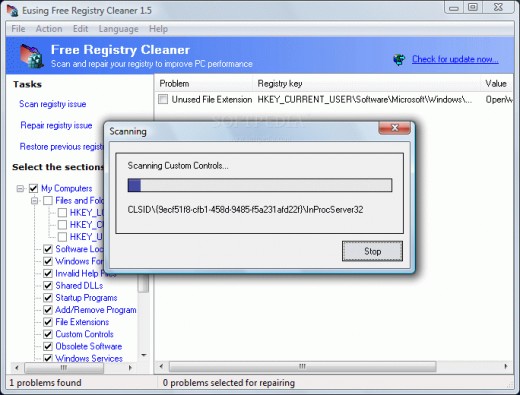
One such tool is called Eusing free registry cleaner.
Eusing Free Registry Cleaner is used to correct the problem in a simple, two-step process. It scans the Windows Registry and identifies common errors.
Eusing can repair the registry by tidying things up. Eusing cleaner lets you first look at the errors it finds, and decide which to fix. If you get into trouble, the program lets you undo the changes.
Go to: Eusing.
Eusing Cleaner
EasyCleaner
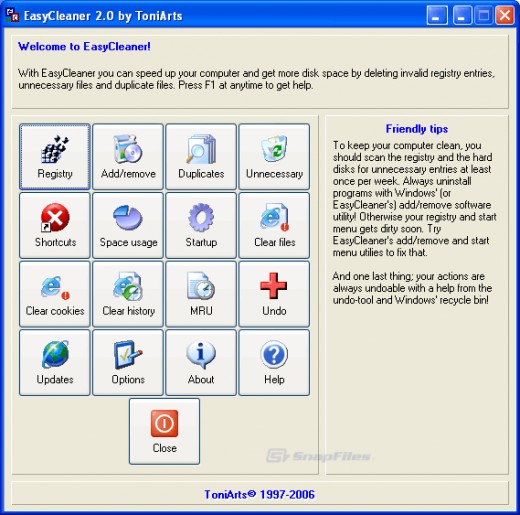
EasyCleaner is another free tool helping when doing registry clean up.
This program goes a bit further than Eusing by providing additional useful options like:
- finding unnecessary files;
- removing Internet Explorer temporary files (history, cookies, etc);
- managing start-up environment.
But of course it's primary function is scanning the registry for invalid or obsolete entries. When done, EasyCleaner lets you choose what to delete.
Download EasyCleaner.
Wise
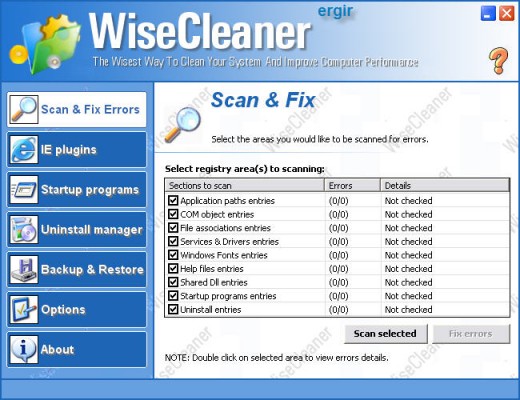
Wise Registry Cleaner is available in both free and paid (PRO) versions. The latter adds ability to export registry entries into Excel, which, honestly, I don't find that important. The free version will remind you of the availability of PRO, but that's understandable, right?
Wise Registry Cleaner scans the Windows registry and finds incorrect or obsolete information in it. By fixing these obsolete entries, WRC will improve the system overall performance. (Do not expect a drastic boost, though; cleaning the garbage out of the registry doesn't equal to getting a new CPU or another gig of RAM).
Pros:
- additional information about each entry can be displayed;
- found problems are divided into "safe to solve" and "not safe to solve". That is, choosing the first option prevents from getting more problems than you had before doing a clean up;
- a back-up feature automatically saves a copy of the registry before doing any changes to it;
- nice interface.
Cons:
- advertising of the "PRO" version may look irritating.
Download: Wise (FREE Version).
Note: Wise cleaner got a 4.5 rating out of 5 at download.com

Free CCleaner PC Maintenance
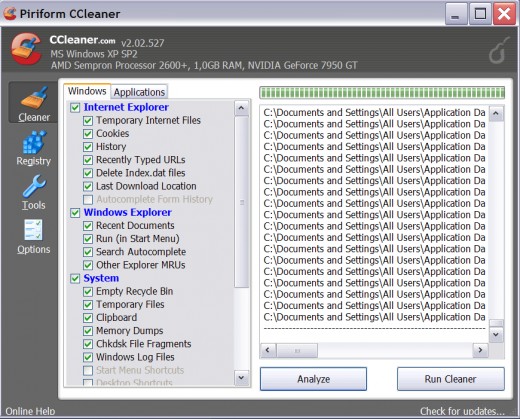
Free CCleaner is a lot more than just a conventional registry cleaner. It is being recommended by advanced PC users and IT pros, so there must be a bunch of reasons supporting this software's popularity!
- CCleaner removes temporary files, log files, browser URL history, cookies, and unused and old registry entries;
- Features registry backup and restore option;
- Alows secure file erasing without possibility to recover;
- Available in 35 languages;
- Advanced cleaning options (for lots of programs);
- Download manager;
CCleaner is a must-have tool to go in conjunction with any antispyware software.
Download CCleaner.
Note: CCleaner received 5 star rating out of 5 at softpedia.com
CCleaner PC Maintenance Software
Misuses of Registry Cleaners
Now as you see that a good registry cleaner can solve a bunch of problems causing system instability or slow responsiveness, I feel it's necessary to add a word of caution here.
Do not hope that registry cleaning tools can repair all the problems. They can't.
Every time you initiate a registry scan, think twice why you are doing it. There's no worse usage for registry cleaners than a blind hope that "it will somehow make my computer run faster". A bunch of non-registry related problems, like bad drivers and fragmented files, can result in slow system performance.
But when used without a sound reason, "just because there's a shortcut on the desktop", almost any 'registry scan' can lead to:
- installed programs acting weird or not opening at all. For example, AutoCAD software is very sensitive to all kinds of registry clean ups, which can lead to certain functions inside the software disabled;
- mouse context menu containing invalid pointers or entries, which result in Windows Explorer glitches like inablity to access drives or folders in My Computer;
- freezing;
- blue screen of death (BSOD).
Let's recap: use a registry cleaner only for solving specific registry-related problem. Make a backup before doing a clean-up.
Better safe than sorry!
I'm not here to disencourage you, but rather to help you avoid unnecessary headaches caused by wrong use of registry repair tools.
Paid or Freeware?
First, there are no professional registry cleaners. It's nothing but a marketing trick to attract attention of the audience. "Pro" added to the name always looks solid and gets respect from potential buyers. However, the only registry tool that can be regarded as "professional" comes from Microsoft and is part of Windows CD.
Second, commercial Windows registry repair tools often come from unknown software companies or even individuals who consider the demand for such kind of tools to be on the rise. They plan to make some easy bucks selling buggy software to people who don't actually know what registry cleanup is all about. Some of these programs are sold at $30 per copy. I consider this price tag to be not adequate for a stand-alone application with very limited features. It might repair certain errors, but it might as well replace some keys with wrong values thus causing more troubles in the future.
There are more registry cleaners on the market than antivirus programs. This is because the latter are way more difficult to code and require on-going support. Behind any antivirus there's a team of hard-working IT pros. But registry cleaners mostly consist of same algorithms and fancy box covers to draw attention. Hype and promises are what you can expect from commercial products in the first place; not all of them deliver as promise to.
AML
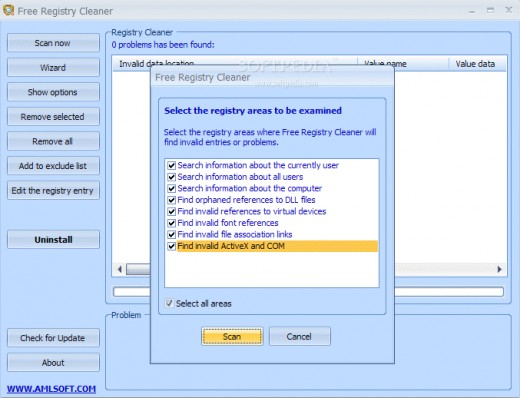
AML offers a free utility to safely clean up a Windows system and remove irrelevant entries from the Registry. Just several clicks are needed to help PC regain lost performance.
A built-in manager shows all programs that auto-load at startup and allows to disable those that are suspicious or unwanted. Very helpful in case your system is infected with stubborn trojan viruses.
AML Free Registry Cleaner finds and removes temporary files that pile up in the system eating the hard disk space. AML supports by default 22 file extensions, and their number can be increased if needed.
AML Free Registry Cleaner provides detailed information about programs and running processes.
AML works perfectly on XP, but there are reports about errors on Vista platform.
Download: Free Registry Cleaner by AML Software.
Conclusion
Despite the power that registry cleaners give to you, be cautious not to overuse it. Each registry repair tool, be it free or paid for, is a sharp knife which can cut the integral part of Windows literally in pieces thus making it unusable.
There are, however, cases when running a registry cleaner is the easiest way to solve common annoying problems, like those RUNDLL errors.
But I advise to use a registry clean-up tool as a last resort only. It is better to take care when installing new software. Avoid playing too much with new programs on a computer that is crucial to your work and hobby activities.
That being said, I hope that one day you'll find my hub useful ;) Your comments are welcome, and linking back is much appreciated.
Related

How to Force Uninstall a Program That Won't Uninstall

10 Things Every Tech Person Should Have
Computer Based Antivirus Strategies That Secure Your Computer Online
A Review of MacBook Pro MGXA2LL/A 15.4 Inch Laptop with Retina Display

How to Manually Remove Computer Viruses Without Antivirus Software