From screen captures to block pop ups : Best browser plug ins for Firefox for Internet marketers and online writers

Getting Started
This isnt a quick read through, this is a comprehensive how to that will show you exactly how and what you can do to your firefox browser to make it efficient for your article writing, hubpages and internet marketing needs.
You will need to have firefox installed.
The beginning of this hub contains two videos that I custom made and narrated specifically for this hub. You will most likely not be able to see the screen options perfectly in the video, hence the large amount of screenshots and pictures available on this hub.
I will be comprehensive and assume nothing.
I suggest opening up the first video in a new tab (right click, open in new tab)
If you have trouble reading any screenshots use the zoom feature built into firefox
Zoom = ( ctrl + + ) or ( hold ctrl and scroll the mouse wheel)
The first video is below, lets get started
Custom made video for this hub
pt 2
Some theme choices
- Best 5 Firefox 3 Theme Alternatives | Firefox Facts
Already tired of the default Firefox 3 theme? Here are 5 of the best of the best when it comes to changing up the look and feel of Mozilla's latest web
First select a theme
I prefer minimal themes that maximize my screen real estate.
My choice is compact classic, which is viewable on the videos and all the screenshots.
You can get that theme through the link below, I suggest throughout the entire tutorial that you simply right click and open in a new tab, when a theme or add on strikes you, you will have to restart firefox for changes to take effect, so I suggest waiting until you are done with the tutorial before restarting.
Two fun choices for themes are Pimpzilla and NASA Space Launch
FireFox add-ons main search
Explanation of clippings, fireshot and social bookmarking add ons
- 10 indispensable resources for efficient promoting and publishing of your hubs and blogs
I am my own boss. Make my own hours answer to nobody work as little or as much as I want work from the comfort of my own home sleep in, stay up late get rich quick profit from my creativity and...
Add ons
You can change and increase functionality by installing firefox add-ons
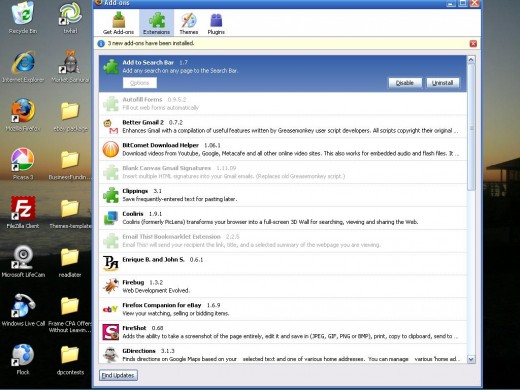
My selected add-ons are:
- My Morning Coffee
- Cooliris
- Paypal Plug in
- Gdirections
- URLbarext
- AddtoSearchbar
- eBaycompanion
- SEO Quake
- Text link
- Webmail notifier
- TrackPackage
- Readitlater
- PrintPDF
- MeasureIT
- GoogleNotebook
- IE Tab
- FireShot
- Clippings
- Better Gmail
My main use of Firefox is as blogger,ebay seller, article writer, and web designer but many of my selections are useful for all users. A previous hub I wrote has very detailed explanations of many of these add ons, please check that article out for more basic info on add ons
A screenshot of my add-on menu

The creator of My Morning Coffee
What I use to create my morning coffee in a cup
- On being a coffee connoisseur on a budget and Keurig Coffeemakers
Smashing the snooze button repeatedly in furious rage, stumbling through limited light, dressing rapidly, irritation crawling over flesh as fingers shakily push buttons through loops. Morning is terrible,...
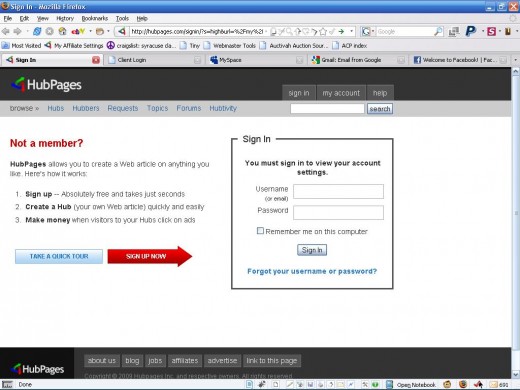
Here is my log in screen
One of my favorite add-ons is My Morning Coffee
This extension lets you organize websites by day and open them up simultaneously as part of your daily routine either when you open firefox browser or when you select the My morning coffee coffee cup in your toolbar.
I use it to open my main webmail, hubpages, commission junction, my web banking, and my facebook account.
I can sit back look at my earnings, sip my (well guzzle) my coffee and check mail and communication for the day.
I use a desktop weather and traffic widget, but it could also be useful for such things before your morning drive.
That saves at least 5 clicks or typing every time! Keep in mind this exactly what my screen displays at when I open my browser for the first time each morning.
Screenshot taken with FireShot
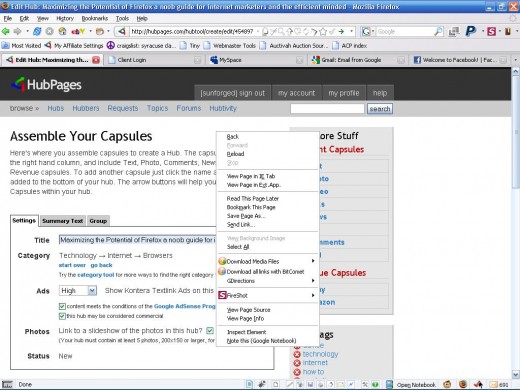
Zoom of Toolbar options


- Online Payment, Merchant Account - PayPal
PayPal is the safer, easier way to make an online payment or set up a merchant account.
Paypal Plug-In and eBay options
The PayPal plug in is excellent, it will autofill any billing page with your registered paypal information, has built in phishing warnings and will create a virtual credit card for you.
The virtual credit card is linked to your paypal account but you will never have to share your true debit or credit card information online and you set the card to only be good for one use.
The PayPal plug in actually has to be downloaded from inside your Paypal account. The link is visible on the right side of your paypal dashboard. You can also access your paypal account options directly from the toolbar rather than typing in the site address.
eBay Companion: creates all of your eBay myworld options directly in your toolbar, you can access all the setting that you normally have to enter the ebay site for. It also creates a notifier for you in the right hand side of your screen that will jump up when you have had a successful sale or an item you are watching or bidding on is about to close
Both of these tools have built in spoof warnings that will ensure you never enter your ebay or paypal info into a malicious site
A spoof example

- Firefox Companion for eBay - Free software downloads and reviews - CNET Download.com
Come to CNET Download.com for free and safe Firefox Companion for eBay downloads. Monitor and be reminded and updated about any auction you bid on eBay.
Track Package
Track Package:
If you are a frequent ebay user you may frequently be tracking packages, what if you could just highlight the tracking number and right click?
"Track Package automatically determines which company's tracking page to go to. This saves at least 4 operations by not going through the company's site or Google, saving time. It also has tracking history and auto-link features"
- Download Track Package 2.4 - Track Package - Firefox add-on that helps you track packages from the r
Track Package Track Package - Firefox add-on that helps you track packages from the right-click menu.
Zoom in action
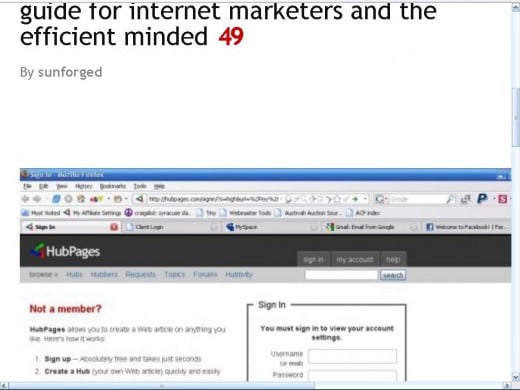
Screencast of addtosearchbar in action
Add to search bar
Why go to different sites just to use their search bars, simply right click on your favorite search bar and select "add to search bar", you will now have access to your favorite search bars by using the drop down menu in your toolbar.
I suggest adding terrapeak search, yahoo site explorer for backlink research, your favorite consumer review and comparison shopping, be creative!
Add to Search bar options
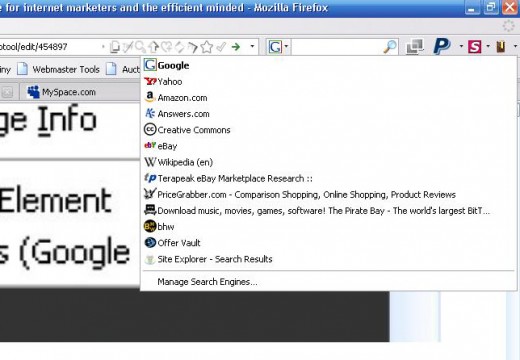
About URLbarext
- Shave Keystrokes Off Your Day With UrlbarExt - ReadWriteWeb
Shortcuts for commonly performed functions are beautiful things and we just found a great Firefox extension that's going to save us a lot of time. It's called UrlbarExt ...
URLbarext add on
Now this is a must have this add-on adds 8 features right into your URL bar without taking up any extra space!
- Copy URL
- Tiny URL
- Search site
- Up in directory
- Tags ( for your bookmarks)
- Annonymous surf (via proxyfier)
- Bookmark
- RSS Feed
If you take any single add-on from this tutorial this is the one!
If TinyUrL is new to you, then should know it is an URL shortening tool, if you do any affiliate marketing or referral marketing you will deal with lots of long URL's, so in order to make the link more user friendly and sometimes in order to add them to sites such as blogtop lists that have character limitations you would like to decrease the size. This also acts as a simple cloak which will hide your unique affiliate code
Anonymous surfing is a tool for privacy buffs and those who may need to get by their local networks restrictions.. a common example if your work intranet may block webmail or facebook, by using a proxy (in this case, proxyfier) you can bypass these limitations.
- 8 Ways to Open Text as a Link | Firefox Facts
One of those pesky things that bug me is when somebody writes a link in that I want to click, but there is no HTML code included to make it into a click-able
textlink
Ever come across a web link that isnt a hyperlink, you have to highlight it and paste it into your URL bar?
Well with textlink, you can simply double click the text!
Webmail add-ons
Webmail notifier - are you using multiple email addresses (you should be) it gets a little annoying to log in and out of multiple email accounts, so get the webmail notifier that can connect to yahoo, gmail and hotmail, notify you when new mail arrives and allow to go directly to the email message without logging in.
Better Gmail - customize your Gmail experience with advanced options including adding a html signature and creating a multiple mail log in drop down bar
Right click options
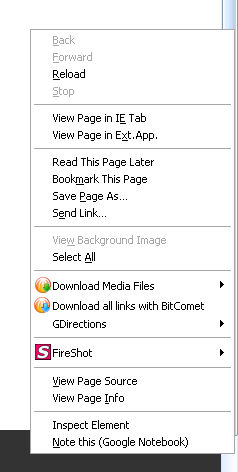
IE tab - Sometimes you just need IE, some sites are poorly designed amd are not cross-browser compatable, some such as the microsoft site you may need to download drivers or updates from are intentional cumbersome to Firefox, never fear IE tab actually can run the Internet Explorer (yuck) engine in your tab.
I personally have to use it to access CJ.com for some odd reason.
Gdirections - Highlight any address and automatically open a google map to your house, sounds good to me!
Google Notebook - are you using Google notebook yet? You should be ! copy and paste excerpts from any page, organize as you please, access from any account via your gmail log in...and with this add-on simple right click to send it there. Simply the greatest tool for online resaerch for your hubs and articles.
This feature is used heavily in the content creation section of the 30 day challenge.
Although it may seem like a lengthy, complicated task right now, tweaking your browser to make your common every day tasks like writing articles, finding directiosn and accessing your frequent sites will perform wonders for your productivity.
- Look what I have done to My Mozilla Firefox !!!
How I have Personalized Mozilla Firefox Browser?? I am in my transition period between my B.TECH and first job. I spend ample amount of time on my computer doing many geeks stuff which look stupid to my... - How to make firefox more secure
Firefox is one of the best browsers currently available for windows ( and also for linux). It's agreed that its a lot safer than Internet Explorer where vulnerabilities are concerned, but as it's popularity... - Customize your Firefox 3
Firefox 3's initial launch was one of the most heavily downloaded programs ever. At one point 5,000 downloads were being performed every minute. If you are one of the adopters of Firefox 3, the browser's... - Beyond Firefox's "about:config", a list of "about:" ...
By now most people have heard of the - Optimizing Firefox 3 Hacks And Tweaks
Useful tips on Firefox 3 hacks, tweaks, and tricks. Most helpful tips on speeding up your latest Firefox browser. And a few Easter eggs to lighten your day! Great source for all. - How to Mod Firefox
Mozilla's Firefox is arguably the most popular Internet browser for a computer. One of the unique features of Firefox is the ability to add extensions and themes to customize your browsing experience. By installing different mods, the browser becomes