eBook Readers - A Comparison of eBook Software

77
rate this page

By Isabella Snow


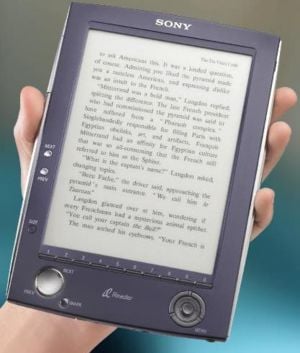
The Sony Reader
The Sony Reader
The iLiad from iRex
The iLiad from iRex
iRiver's E-BOOk Reader

I mentioned eBooks awhile back, and was pleasantly surprised to see how many of you already read them. Most of you read them on your computer, using software like Adobe Acrobat and Microsoft Reader to view them – and that’s fine, they certainly get the job done.

But what if you want to read your eBooks by the pool, and don’t want to drag your laptop with you?

A few years ago, I’d have said you were nearly SOL on that one. Sure, Palm Pilots and the like have platforms for reading eBooks, but they aren’t very book-like, and they sometimes mysteriously change characters to bizarre symbols in some places.

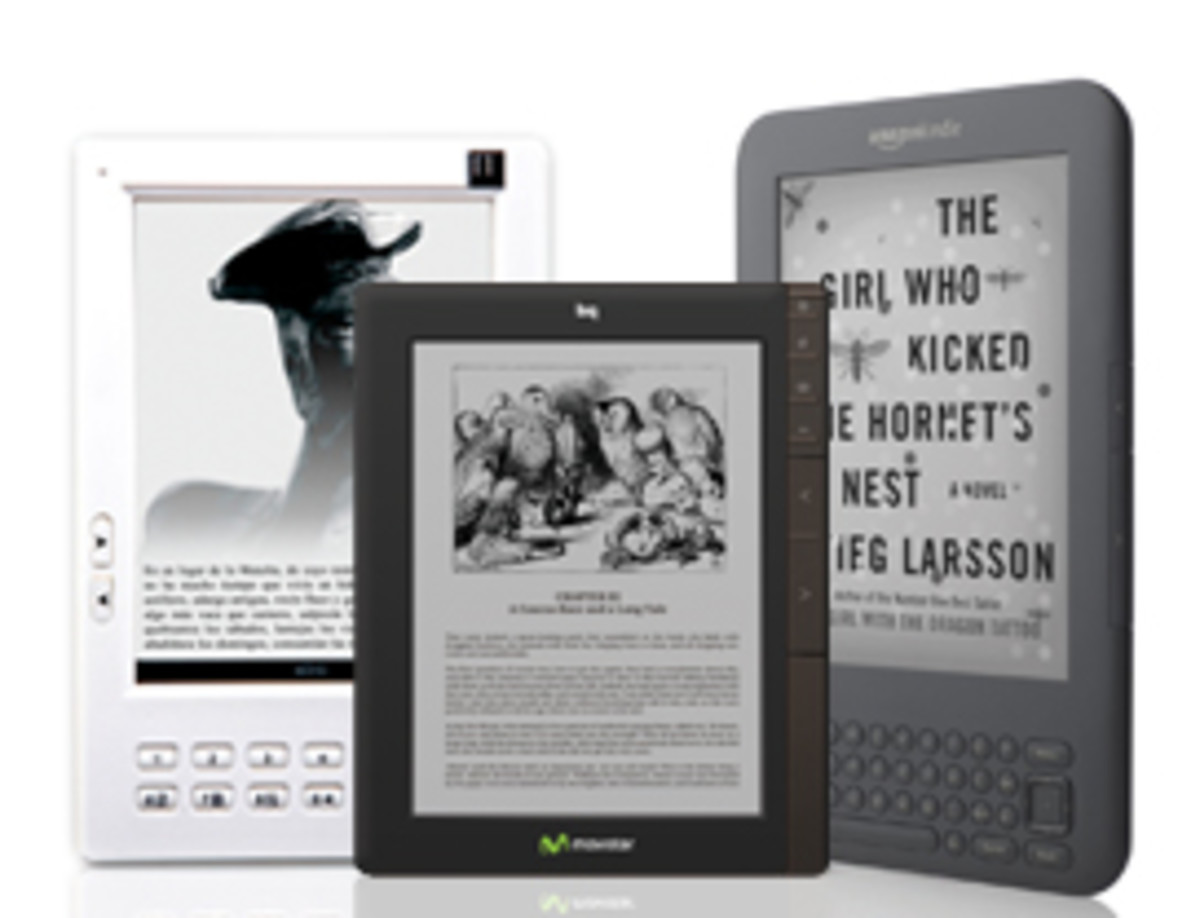
So let’s take a look at the tech gear specifically created for the sake of reading eBooks.

The Sony Reader

Sony created this puppy primarily as an eBook reader, but it does other things as well.

Pros

A. It’s only ½ an inch thick.

B. It’s not just for eBooks – you can view PDF, JPEG and other files on it.

C. You can play MP3s on it.

D. Holds approximately 80 books.

E. Battery lasts approximately 7500 page views

Cons

A. It costs 300 bucks.

B. No built-in Macintosh interface – and to use their Connect Reader software, you need to have either Windows XP or Vista.

C. You can only read DRM eBooks in Sony’s BBeB file format – only purchasable through their Connect website.

D. It’s only available in the USA.

E. Even if you have one shipped overseas, the Connect website is still intended for US residents – so you still might not be able to buy any books through it.

The iLiad

iRex is the Dutch company producing this behemoth. It may look like your average eReader, but it does lots more, too.

Pros

A. It has the biggest screen available in e-paper technology.

B. You can read, write and draw on it.

C. You can receive international newspaper delivery on it.

D. It supports Sudoku and crossword puzzles.

E. Built-in wifi

F. Supports many, many DRM eBook formats..

G. Linux operating system

Cons

A. It costs more than 600 USD!!

B. It costs more than 600 Euros!

iRiver’s E-BOOk Reader

This one isn’t out yet – but this is the one I am waiting for. It’s thin, light, runs on regular batteries and… has *two* pages. This makes it the most book-like one I’ve seen, and that’s really what I’m most interested in. I mean, my paperbacks can’t play MP3’s, why the hell do I need an eBook reader to play them?

I don’t.

I just want something I can read eBooks on, that will make it the most realistic book reading experience possible. Hopefully this baby won’t cost more than the other two I’ve mentioned. I haven’t been able to find an expected release date for the E-BOOk reader, but I’m eagerly awaiting it!

--

There are other eBook reader devices out there, but most of them have been discontinued, and that’s why I’m not recommending them. I don’t recommend buying a discontinued model on eBay, either, because new books are unlikely to be published in discontinued e-formats.

If you know of any other dedicated eBook readers and would like to list them in the comments, feel free to do so. If you could add a link that would be good as well.


xx Isabella


Comments

RSS for comments on this Hub Small RSS Icon

cgull8m profile image

cgull8m  says:
9 months ago

Isabella, good ones, I use Palm they have ebook pro reader, which is very good, occupies little in the handheld device even for big books. I have like 100s even though I can store 1000s. I think iPhone makes a good reader also, some companies are trying to adopt their book technologies for iPhone. They can also read 1000s of books from this site http://www.cmadras.com/mobile.html it has lots of literature books.

Isabella Snow profile image

Isabella Snow  says:
9 months ago

Thanks for the link, Cgull! :)

Gigi profile image

Gigi  says:
8 months ago

Great post -- have used a palm, an Irex Illiad, my pocket pc and a couple of others. Am waiting for the new Hewlett Packard machine. For eBooks you mich check out our eBook store - www.eBooksAboutEverything.com

Gigi Reyanrd

guest  says:
6 months ago

The title is "Comparison of eBook Software", but the only thing I see is a bit chitchat about hardware.

Isabella Snow profile image

Isabella Snow  says:
6 months ago

That's because the software is dependent on the hardware. You can't use them interchangeably.

chantal  says:
4 months ago

A cheap and easy way to get an ebook reader is to use a Nintendo DS. You can get a mod card that has software that can read doc/txt documents. It can also play mp3s and view jpgs (as well as play backup copies of your NDS games (aka ROMS).

I stumbled upon this a few weeks back and have been devouring my books on the Nintendo DS...you can adjust the font size, and it's not a bad option cause it's cheap at under $150.

The cards you'd need are called either the M3 DS Real or the R4. Do a search on the net for them. I got mine at kickgaming, and consoleresource.com also has them. You then only need to buy a MicroSD card and load up some stuff on there to put it in your M3 or R4. I have the M3 DS Real and it's AMAZING!

Just another option for people who might already have a NDS. :) The cards themselves are legal, but the ROMS (backup copies of NDS games) that some people put on there are not legal in the US and legal in Canada only if you 'own' a copy of the game and have simply made a backup copy.

chantal  says:
4 months ago

oh, and the Nintendo DS with the M3 DS Real card also lets you bookmark. Forgot to mention that fact. :)

jasonvh  says:
6 weeks ago

I used to own a $150 Palm, which could display text files and low-quality images. I had no use for the data-organization capabilities. I wanted it specifically for reading stories on long public transit rides. Upon learning about the Nintendo DS, I quickly returned the Palm and bought a $139 DS. As stated by Chantal, it can do so much more. Yes, some additional hardware is required, but it can be found cheap. You need the flash-rom card, and if you want to be able to surf the web, a $20 memory expansion cartridge (EZ Flash 3-in-1). So, this is what you can do for about $200 and the proper software (just search the forums): Play NDS games, play GB/GBC/GBA games, play NES/SNES games, read stories/text files, watch videos/movies, view jpegs, listen to mp3s, surf the web in a hotspot, and yes, even PDA software is available if you really want a data organizer. With all these things in one compact unit, you'll never be bored again. Great for work breaks!

Submit a Comment

Members and Guests

Sign in or sign up and post using a hubpages account.


optional


working