PageRank Algorithm - Increase Page Rank – and Backlink Tips

One of the greatest difficulties that the small marketers go through is to generate sufficient Page Rank to their page(s) so that the page(s) can be indexed by Google and have their pages appear frequently on front page of Google's search engine and just about any other search engine across the web. In blogs, a small marketer may just have only one page and many may only know how to put outbound links which drain the page its Page Rank. Many small marketers might not be aware that getting inbound links pointing to their pages would indeed raise the Page Ranking of their pages.
Inbound links is what is called Back Linking. All back linking will bring traffic to your page regardless of where you put it, but only if you know how to do it. It's an art by itself. You can get a good tool to check your page rank here: http://www.pageranktool.net/
If your page posting is in community social sites like hubpages or squidoo, you need not worry about the PR, because these sites have many members like you and me, and your one page combined with my one page and other pages like yours will add up to give hubpages or squidoo a very high PR.
But you have a small job to:
1. You have to write interesting, useful and original post in your page.
2. You have to get involved in hubpages or squidoo communities by participating in reading other peoples posting and posting sincere comments.
3. You have to reach out to the greater internet community by back linking to your posting in hubpages or squidoo. Use social book marking sites like stumbleupon, forum.myspace, digg, etc., etc. These sites will bring massive traffic to your page in hubpages or squidoo. That traffic you bring will be useful to you, to me and to hubpages or squidoo. My traffic will also be useful to me, to you and to hubpages or squidoo. When hubpages or squidoo realizes that all that traffic is coming because of your one page posting, then your posting will be placed in squidoo or hubpages front page so that it continues to pull more and more traffic for them. With your posting in the first page of hubpages or squidoo, you will now feel what it feel to be in PR-8 plus.
You can use socialposter.com to easily post to multiple social book marking sites. It may seem tedious but the results obtained are good. Always make sure you back link somewhere in the text you send out. To back link you may need to know some html coding which you already do.
You will need to check on Pagerank flow diagrams here.
And you can also read on :How to get Free Traffic by Increasing Your Page Rank
The hubber's page, Secret of Making Money online in the stock market is designed to help beginners and average readers make money online.
Related

I Hit 10,000 Page Views on Hubpages!

How to use Search Engines keywords to increase traffic on Hubpages
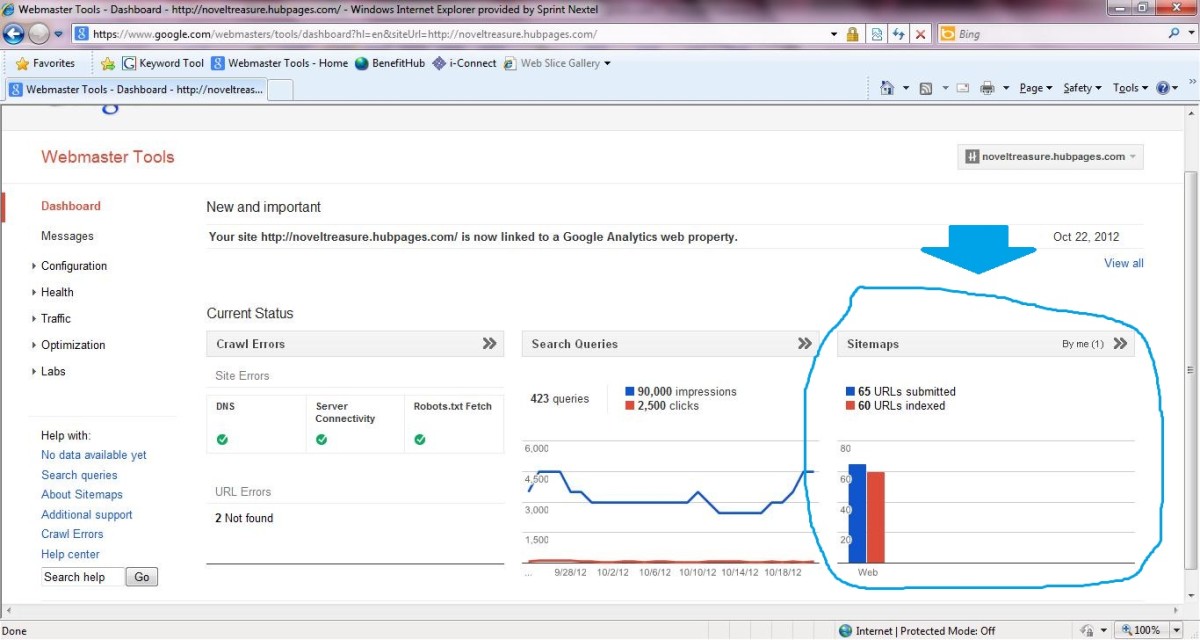
Increase Your Traffic - How to Add Your Hubpages Sitemap to Google Webmaster Tools?

How to Drastically Improve Traffic and Earnings On Hubpages Successfully!
50 Ways to Get Traffic to Your Hubpages