

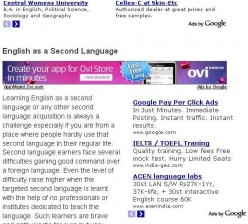



Yesterday I was very happy as I had my best day here on Hubpages. I had over 300 views. This morning however when I checked my Adsense earnings, I realised I had not had one click in 300 odd views!
Is that just bad luck or can I expect more of the same? Is there anyway to give yourself a better chance of getting clicks?
300/0 is a little bad luck. 1.5% is an overall average CTR.
To improve CTR:
~ Use a core keyword rich summary text
~ Concentrate on on page optimization.
~ Try different layout of ads.
You can try this one:
@andyoz - There are certainly things you can do:
1) Never put any type of capsule, including a photo capsule, to the right of your first text capsule. You want to be sure that the large 300x250 AdSense ad shows up in that spot. It's prime advertising real estate. Always make sure that your first text capsule is large enough to accommodate that placement.
2) Make sure that the ads that are showing on your hubs are relevant, and that people reading your hub would naturally want to click on them. Although you can't directly control what ads show up on your hubs, you can massage them indirectly by proper keyword usage.
So should my first text capsule be moved over to the left allowing space for the large add?
The first text capsule needs to contain more text so that the large ad will appear at the top-right. It does not need to be moved, you just need to type a bit more in the introduction.
To let the add shows, your first text capsule should at least has 110 words (from my experiences), otherwise it will shows on the next text capsules.
Play with add positions, especially on hubs that drive some traffics, track how high the CTR.
But don't expect to much if your views from hubpages or social media. Only view from organics search (google, bing, yahoo etc) have high CTR.
Some layouts:
option 1:
first text capsule 120-130 words
second text capsule 1 sentence
then 1 or more text capsule.
No photo before second text capsule.
option 2:
first text capsule totally bland
in second text capsule only add a subtitle but not in the capsule title box. Write the subtitle in the text box and select header2 from the menu.
third text capsule 120-130 words.
then one or more text capsule.
no image before 4th text capsule.
option 3:
first text capsule 120-140 words
An full size photo/amazon capsule with only one photo or 2/3 product. Or one photo and 2/3 amazon product side by side.
Then one or more text capsule.
Just my thoughts.
Thanks for all the replies, will see what I can do. Interesting the vast majority of my views yesterday did come from Google. Still no clicks though. ![]()
by Susan Zutautas 11 years ago
How does one indent a paragraph in a text capsule? Is this even possible to do?
by Glen 16 years ago
Once you've researched, drafted, edited, proofed... and before you've published your hub, you should think about a few things you could do to do it justice and add some extra appeal to it.1) Photo or Illustration? I like at LEAST one image. That way when it comes up in the hub search results it has...
by Pamela Kinnaird W 15 years ago
A very kind soul noticed a month ago that I need to learn how to break up my text with photos or something between the paragraphs when my text is long. She explained how to do it. I tried and couldn't grasp it. Then I misplaced or accidentally deleted her email -- so I haven't...
by Paul Deeds 14 years ago
As Cagsil noticed, we are in the process of testing out some changes to our text capsule editor. It's been turned on for a small number of specially selected trial users for a couple of days already, and now it's available to all. In order to switch, just change the settings on your...
by Whitney 15 years ago
Edit:Unpublished:
by Aiden Roberts 15 years ago
Hi Everyone,I have just published my latest puppy training hub and I am wondering should I use a video? I haven't used videos before as I am not sure of the rules for example with YouTube?If you don't mind and have some time take a look and see if you think a video would be useful, any comments...
Copyright © 2026 The Arena Media Brands, LLC and respective content providers on this website. HubPages® is a registered trademark of The Arena Platform, Inc. Other product and company names shown may be trademarks of their respective owners. The Arena Media Brands, LLC and respective content providers to this website may receive compensation for some links to products and services on this website.
Copyright © 2026 Maven Media Brands, LLC and respective owners.
As a user in the EEA, your approval is needed on a few things. To provide a better website experience, hubpages.com uses cookies (and other similar technologies) and may collect, process, and share personal data. Please choose which areas of our service you consent to our doing so.
For more information on managing or withdrawing consents and how we handle data, visit our Privacy Policy at: https://corp.maven.io/privacy-policy
Show Details| Necessary | |
|---|---|
| HubPages Device ID | This is used to identify particular browsers or devices when the access the service, and is used for security reasons. |
| Login | This is necessary to sign in to the HubPages Service. |
| Google Recaptcha | This is used to prevent bots and spam. (Privacy Policy) |
| Akismet | This is used to detect comment spam. (Privacy Policy) |
| HubPages Google Analytics | This is used to provide data on traffic to our website, all personally identifyable data is anonymized. (Privacy Policy) |
| HubPages Traffic Pixel | This is used to collect data on traffic to articles and other pages on our site. Unless you are signed in to a HubPages account, all personally identifiable information is anonymized. |
| Amazon Web Services | This is a cloud services platform that we used to host our service. (Privacy Policy) |
| Cloudflare | This is a cloud CDN service that we use to efficiently deliver files required for our service to operate such as javascript, cascading style sheets, images, and videos. (Privacy Policy) |
| Google Hosted Libraries | Javascript software libraries such as jQuery are loaded at endpoints on the googleapis.com or gstatic.com domains, for performance and efficiency reasons. (Privacy Policy) |
| Features | |
|---|---|
| Google Custom Search | This is feature allows you to search the site. (Privacy Policy) |
| Google Maps | Some articles have Google Maps embedded in them. (Privacy Policy) |
| Google Charts | This is used to display charts and graphs on articles and the author center. (Privacy Policy) |
| Google AdSense Host API | This service allows you to sign up for or associate a Google AdSense account with HubPages, so that you can earn money from ads on your articles. No data is shared unless you engage with this feature. (Privacy Policy) |
| Google YouTube | Some articles have YouTube videos embedded in them. (Privacy Policy) |
| Vimeo | Some articles have Vimeo videos embedded in them. (Privacy Policy) |
| Paypal | This is used for a registered author who enrolls in the HubPages Earnings program and requests to be paid via PayPal. No data is shared with Paypal unless you engage with this feature. (Privacy Policy) |
| Facebook Login | You can use this to streamline signing up for, or signing in to your Hubpages account. No data is shared with Facebook unless you engage with this feature. (Privacy Policy) |
| Maven | This supports the Maven widget and search functionality. (Privacy Policy) |
| Marketing | |
|---|---|
| Google AdSense | This is an ad network. (Privacy Policy) |
| Google DoubleClick | Google provides ad serving technology and runs an ad network. (Privacy Policy) |
| Index Exchange | This is an ad network. (Privacy Policy) |
| Sovrn | This is an ad network. (Privacy Policy) |
| Facebook Ads | This is an ad network. (Privacy Policy) |
| Amazon Unified Ad Marketplace | This is an ad network. (Privacy Policy) |
| AppNexus | This is an ad network. (Privacy Policy) |
| Openx | This is an ad network. (Privacy Policy) |
| Rubicon Project | This is an ad network. (Privacy Policy) |
| TripleLift | This is an ad network. (Privacy Policy) |
| Say Media | We partner with Say Media to deliver ad campaigns on our sites. (Privacy Policy) |
| Remarketing Pixels | We may use remarketing pixels from advertising networks such as Google AdWords, Bing Ads, and Facebook in order to advertise the HubPages Service to people that have visited our sites. |
| Conversion Tracking Pixels | We may use conversion tracking pixels from advertising networks such as Google AdWords, Bing Ads, and Facebook in order to identify when an advertisement has successfully resulted in the desired action, such as signing up for the HubPages Service or publishing an article on the HubPages Service. |
| Statistics | |
|---|---|
| Author Google Analytics | This is used to provide traffic data and reports to the authors of articles on the HubPages Service. (Privacy Policy) |
| Comscore | ComScore is a media measurement and analytics company providing marketing data and analytics to enterprises, media and advertising agencies, and publishers. Non-consent will result in ComScore only processing obfuscated personal data. (Privacy Policy) |
| Amazon Tracking Pixel | Some articles display amazon products as part of the Amazon Affiliate program, this pixel provides traffic statistics for those products (Privacy Policy) |
| Clicksco | This is a data management platform studying reader behavior (Privacy Policy) |