- HubPages»
- Technology»
- Computers & Software»
- Operating Systems
Reset forgotten Windows admin password: How to reset forgotten Windows administrator password?

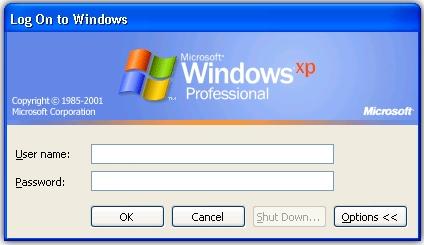
Forgot windows password? Forget administrator password? No, problem. Windows will not angry, if you forgot administrator password of Windows. You can really reset, windows administrative password easily. This page contains information to reset windows administrator password. Just follow the steps and you will be able to reset Windows administrator password.
How to reset forgotten Windows administrator password?
Follow the following steps to reset forgotten Windows administrator password:
Step 1: Boot up your computer with Windows CD
- Take a boot-able windows CD.
- Insert the CD into your computer CD-ROM or DVD-ROM.
- Boot your computer with that Windows CD like you are doing the same as the installation of Windows.
- Within few seconds, you will see the message Press any key to boot from CD and press any key.
Step 2: Wait until the Repair window is prompted
- Wait until you see you are prompted from one of the two options: Install Windows or Repair Windows.
Step 3: Repair mode selection
- Press R key of your keyboard and the setup will start copying files from the CD to computer hard drive.
- Please wait for some time and don't do anything.
- Windows will reboot automatically.
You may be interested
Step 4: Accessing to the command prompt
- After restarting your computer, the Graphical User Interface screen of Windows will be shown.
- Go to the command prompt by pressing the following key:
For Windows 2000 users:
- You have to wait until you see the setup line like Registering Component.
- When you see "Registering Component", press Shift+ F10 keys together of your computer keyboard.
- After the following steps, you will access to the command prompt.
For Windows XP users:
- You have to wait until you see the line like Installing devices.
- When you see "Installing devices", press Shift+ F10 keys together of your computer keyboard.
- After the following steps, you will access to the command prompt.
By following the above steps you can easily reset Windows administrator password. If you face any difficulties, you may ask in the comment section. Hope, you success.
© Written by rancidTaste
Step 5: Accessing the control panel
Now, you have to access control panel from the command prompt. You can access the command prompt by the following ways:
For windows 2000 users:
- Type control.exe in the command prompt and hit Enter key.
For windows XP users:
- Type nusrmgr.cpl in the command prompt and hit Enter key.
Step 6: Password resetting
- After the above steps, you have access to the control panel. Now you can easily reset administrator password or set new password using the control panel administration/ password utilities.
- When you have completed resetting the password, close the command prompt.
- Wait unlit the repair is finished.
- Restart your computer and now log in with the new password.