HubPages update
Jump to Last Post 1-48 of 48 discussions (66 posts)
- Janettaposted 17 years ago
 0
0 - Nelle Hoxieposted 17 years ago0
- shinujohn2008posted 17 years ago0
- rethansmithposted 17 years ago0
We just deployed a few changes to HubPages. The biggest changes are:
1. Q&A short answers - You can now answer questions with either a short answer or a hub, and answers can be voted up or down by the community. Some of the restrictions on what can be asked in a question have been lifted.
2. Create a hub page - You can now choose from 3 different starting layouts, or you can clone the layout of any of your existing hubs.
3. Home page / Categories - You can now personalize the topics that appear on the home page by joining the fan club of categories that you are interested in.
4. Safari, Chrome, and Opera Support - We've improved the compatibility of HubPages with these browsers. Support is still at the beta level, but we think most tools on the site including the Hub Editor should work. If you notice any problems, please let us know.
5. Facebook / Twitter - When you publish a new hub, you can now easily add it to your facebook feed or tweet about it.
Quite a few things have changed, and as always there may be new bugs. If you notice anything unusual please let us know.
Thanks!
ALL great changes!
And Opera has always been the best browser to use on HP, to be honest. It's the only browser I've used between all three major OSes that correctly displays my pages. 
But then again, it is the most standards compatible as it is.
The Q and A thing rawks sawks, thanks for that too. And the layout/clone thing...PERFECT!
Sincerely,
G|M
I love being able to personalize everything, cool! It would be fun if we could "pretty up" our profile pages too, with backgrounds, quotes, etc. Not like MySpace in general, but the artistic part of it is fun:)
Great news thanks! I've been asking for the ability to "clone" a hub since I joined, so this is fab thanks!
I definitely appreciate the compatibility with Chrome, it is by far, my favorite browser. The only thing that I've noticed (and it doesn't happen all the time) is that when I'm trying to format text in bold, it doesn't always work.
For example, the other day I made a bullet list of system specs on my new laptop. I made all the specs in bold and then wrote a line next to the bold text with normal text. When I went to publish the hub, the bold formatting was gone and now that part of the hub looks sort of jumbled. I've made similar lists before in IE and have never had a problem with text not appearing bold after publishing.
Hi girly_girl09,
Thanks for reporting this issue. I'll take a look to see what's up.
-Larry
Hey cool, shoulda looking here before publishing my two hubs today, but cool new features!
I like how when creating a hub, you no longer have to scroll to the top in order to add capsules. There is now a bar that appears. Problem that I see is that it doesn't offer ebay capsule, only amazon.
I can't wait to check out the layout options.
For the short answer, does that mean if there's a request that we already have a hub about, we can post the link to the hub?
Edit: Just checked out the layout options... Is there an easier way to search through existing hubs in order to copy a layout?
Edit: I now see both amazon and ebay capsules on the bar, but the names and logos are switched. IE it says ebay but has the amazon logo.
 0
0Awesome  these changes look great!! The short answer thing looks pretty neat and def liking the FB deal
Fantastic! I really like #1, 2 and 5.
Sweet new changes...hubpages is always getting better 
I'm LOVING these new changes...keep the comments and feedback coming!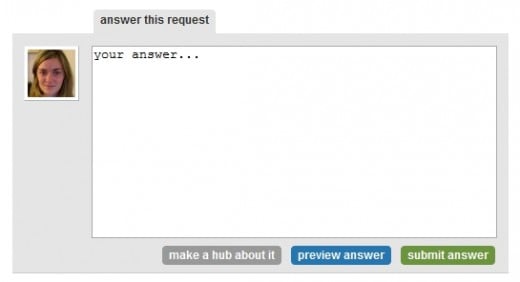
Also, Fawntia wrote a great blog on the new changes to the Q&A section over here: http://blog.hubpages.com/2009/05/new-fe … s-answers/
Ryan, can we put links on the short answer for hubs that we have that are already written and pertain to the hub request?
Ohhh, now I really like that option. That's something we've been talking about doing for a long time- answer a request with an already published hub!
I'm not Ryan (obviously), but I think it's fine if you do that.
Change my mind... The toolbar in the edit mode is irritating. I'd like to have the option to close it.
hahaha yea I know.. It was kind of neat when I noticed it before I saw this thread... Then when I continued to finish the hub I was working on and then start on another, it started to get in the way. I kept trying to close it, but there's no 'X' to close. I guess it's just reaction and whatnot to close boxes.
Oh and with the Tweet the new hub thing... By setting up the Twitterfeed, it automatically updates when you post new hubs, when you set up your hubber RSS feed that is, so I'm not sure how necessary that feature is. I think it'd be better to have it on the share it option though so that other people can tweet the hub, and it's already there.
HubPages has just given me a boost of energy to write more with these fantastic changes. Thank you a million times! I love the constant development toward good things.
I'm looking forward to trying out all the new features! Thanks!
Q&A short answers: why don't you display adsense ads on those short answers?
Good question.
The truth is that we haven't decided on how the new short Q&A answers are going to play into the overall earnings plan just yet and since it's our first go at it we want to make sure that we get all of the bugs out before any of us (Hubbers or HubPages) attempts to earn ad revenue from it.
Make sense?
0I'm loving the changes. Love the reminder to tweet about my new hub.
This makes me feel like we are a real team effort here! Glad to see that the Hubpages command central really is into this.
It gives me the confidence to make Hubpages a high priority in my business plan.
Thanks so much.
I am so, so excited about being able to clone other hub layouts! This makes things so much easier for me when I use a standard hub layout for my hubs. Thanks, everyone!
Much appreciated!
I am excited about the FaceBook and Twitter integration.
Thank you!
0Thanks for the nice updates.
Hubpages is getting more professional day by day.
Not that I'm trying to agree with everything Whitney keeps saying, but she just keeps reading my mind and typing it faster than I can.
I agree with the idea of having a option for readers to tweet the hub. It's 100x better if others talk about our hubs rather than us self-promoting.
So although the current (new) option to tweet our own hubs is good, it would be better if there was an option to encourage others to tweet our hubs.
That option is available under share this.
Perfect. I see this option elsewhere on blogs, so having it on Hubs is familiar to visitors. Great integration. Thanks Ryan.
Like Paul and Ryan has already said, the option is there already... Which is why I said "it's already there" ;-)
Jus love how we are so cared for I feel like a flower basking under tender sunlight. Thank you Paul and HP team!
Excellent...now how about a free beer after every hubpage published!!!
Believe me, if Paul Deeds could somehow make that happen he would have built it in a LONG time ago, my friend.
This is me reading posts:
As you can tell, I am sometimes blinded by my ugly glasses.
The changes are great and make hubbing an even better experience.
Just published a new hub, I love the twitter and facebook integration and the toolbar is great, no more moving up and down the page all the time.
Thanks guys...and girls.
I am really loving that new toolbar, so much better than having to scroll up.
Woo! Thanks so much for the short-answer feature! There were so many times where I just wanted to write one line or add a link Hopefully this can mean more traffic for existing Hubs!
Hi, this might be a stupid question but can we post a question in the Q&A and then answer it ourselves?
Amazing changes. Not writing any Hub now but I am sure it will be a new and good experience. Thanks Hubpages.
Love the improvements to HubPages! Great work Paul & HubTeam for making HubPages a great looking place!
Progress is always a good thing. Love the new features. Thanks!
<--- Trying to contain herself. I am so THRILLED with not having to go to the very top to add a capsule while working on a Hub I could EXPLODE!
Thanks so much HubTeam!!!!
I noticed the changes and am glad am able to say thank you for making HubPages better and better all the time. Thank you!
0Is there a way for me to grab an rss feed for topics/categories, and subtopics?
'Short answers to the questions asked' is really a change needed for a long. It will be very useful as some requests require only short answers and not a complete hub. I did not use this feature till now but I am sure that there is a provision to link your hubs as answer to these requests. This will help avoid duplication of information. Second change is related to compatibility to few browsers. I love to use opera but latest versions of opera have conflicts with edit (text, comments)mode of hubpages.Now these browsers are compatible with HP so these browsers can be used. Thanks HP for the changes (much needed).
Great new features hubpages, but when can we fix banners into our capsules?
Irritating that i cant promote some banners and active product pictures.
can we look forward to that feature soon?
Asides that, you guys are great
Thanks - you all continue to make this such a great site. I love the facebook and tweet button.
Cool!!
Copyright © 2026 The Arena Media Brands, LLC and respective content providers on this website. HubPages® is a registered trademark of The Arena Platform, Inc. Other product and company names shown may be trademarks of their respective owners. The Arena Media Brands, LLC and respective content providers to this website may receive compensation for some links to products and services on this website.
Copyright © 2026 Maven Media Brands, LLC and respective owners.
As a user in the EEA, your approval is needed on a few things. To provide a better website experience, hubpages.com uses cookies (and other similar technologies) and may collect, process, and share personal data. Please choose which areas of our service you consent to our doing so.
For more information on managing or withdrawing consents and how we handle data, visit our Privacy Policy at: https://corp.maven.io/privacy-policy
Show Details| Necessary | |
|---|---|
| HubPages Device ID | This is used to identify particular browsers or devices when the access the service, and is used for security reasons. |
| Login | This is necessary to sign in to the HubPages Service. |
| Google Recaptcha | This is used to prevent bots and spam. (Privacy Policy) |
| Akismet | This is used to detect comment spam. (Privacy Policy) |
| HubPages Google Analytics | This is used to provide data on traffic to our website, all personally identifyable data is anonymized. (Privacy Policy) |
| HubPages Traffic Pixel | This is used to collect data on traffic to articles and other pages on our site. Unless you are signed in to a HubPages account, all personally identifiable information is anonymized. |
| Amazon Web Services | This is a cloud services platform that we used to host our service. (Privacy Policy) |
| Cloudflare | This is a cloud CDN service that we use to efficiently deliver files required for our service to operate such as javascript, cascading style sheets, images, and videos. (Privacy Policy) |
| Google Hosted Libraries | Javascript software libraries such as jQuery are loaded at endpoints on the googleapis.com or gstatic.com domains, for performance and efficiency reasons. (Privacy Policy) |
| Features | |
|---|---|
| Google Custom Search | This is feature allows you to search the site. (Privacy Policy) |
| Google Maps | Some articles have Google Maps embedded in them. (Privacy Policy) |
| Google Charts | This is used to display charts and graphs on articles and the author center. (Privacy Policy) |
| Google AdSense Host API | This service allows you to sign up for or associate a Google AdSense account with HubPages, so that you can earn money from ads on your articles. No data is shared unless you engage with this feature. (Privacy Policy) |
| Google YouTube | Some articles have YouTube videos embedded in them. (Privacy Policy) |
| Vimeo | Some articles have Vimeo videos embedded in them. (Privacy Policy) |
| Paypal | This is used for a registered author who enrolls in the HubPages Earnings program and requests to be paid via PayPal. No data is shared with Paypal unless you engage with this feature. (Privacy Policy) |
| Facebook Login | You can use this to streamline signing up for, or signing in to your Hubpages account. No data is shared with Facebook unless you engage with this feature. (Privacy Policy) |
| Maven | This supports the Maven widget and search functionality. (Privacy Policy) |
| Marketing | |
|---|---|
| Google AdSense | This is an ad network. (Privacy Policy) |
| Google DoubleClick | Google provides ad serving technology and runs an ad network. (Privacy Policy) |
| Index Exchange | This is an ad network. (Privacy Policy) |
| Sovrn | This is an ad network. (Privacy Policy) |
| Facebook Ads | This is an ad network. (Privacy Policy) |
| Amazon Unified Ad Marketplace | This is an ad network. (Privacy Policy) |
| AppNexus | This is an ad network. (Privacy Policy) |
| Openx | This is an ad network. (Privacy Policy) |
| Rubicon Project | This is an ad network. (Privacy Policy) |
| TripleLift | This is an ad network. (Privacy Policy) |
| Say Media | We partner with Say Media to deliver ad campaigns on our sites. (Privacy Policy) |
| Remarketing Pixels | We may use remarketing pixels from advertising networks such as Google AdWords, Bing Ads, and Facebook in order to advertise the HubPages Service to people that have visited our sites. |
| Conversion Tracking Pixels | We may use conversion tracking pixels from advertising networks such as Google AdWords, Bing Ads, and Facebook in order to identify when an advertisement has successfully resulted in the desired action, such as signing up for the HubPages Service or publishing an article on the HubPages Service. |
| Statistics | |
|---|---|
| Author Google Analytics | This is used to provide traffic data and reports to the authors of articles on the HubPages Service. (Privacy Policy) |
| Comscore | ComScore is a media measurement and analytics company providing marketing data and analytics to enterprises, media and advertising agencies, and publishers. Non-consent will result in ComScore only processing obfuscated personal data. (Privacy Policy) |
| Amazon Tracking Pixel | Some articles display amazon products as part of the Amazon Affiliate program, this pixel provides traffic statistics for those products (Privacy Policy) |
| Clicksco | This is a data management platform studying reader behavior (Privacy Policy) |