It's showtime HubMobsters First of all a big thanks to all the HubMobsters who participated in last week's HubMob. You have given away some excellent advice on finance and money management. We had a total of 35 HubMobs published on the subject! Well done!
Let me share with you the good news. I've just received a 'special message' from the HubPages HQ This week we are having a prize for the best HubMobs
For this week we are going to a lighter topic where all of us hubbers have something to say. This week HubMob topic is:Hub About your favourite entertainer Yes, we all want to hear about that teenager "crush" you had. We want to know who is your favourite singer, comedian, actor or even cartoon character (seek help now!). Did you ever meet your favourite actor or singer in person? Tell us how did you handle meeting him. Tell us who would you like to meet and why. Show us your knowledge about that special person you are a fan of.
Some ideas for a HubMob are: - Your favourite singer/actor/comedian/sports person/cartoon character - Best show you have seen: Tv/ theatre/ movies - Places to go for a fantastic entertaining day/night out - Why are you a fan of ... - Whatever happened to ...
1. Come up with an amazing idea to write your Hub about your favourite entertainer. Make the topic your own and feel free to have fun with it. It's up to you on how you write your HubMob Hub.
3.Choose a relevant title for your HubMob and feel free to use the tags that I suggested and add your own tags. To get a good ranking in the search engines make your title relevant to your hub content and avoid starting your title with "Weekly HubMob"
3. Write an awesomely comprehensive Hub that completely covers your topic idea.
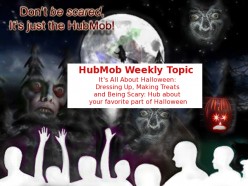
5. Add the HubMob image specially made by ProCW for the occasion to your Hub so that everyone who reads it will know that it is part of the official HubMob topic of the week.
6. After you publish your HubMob Hub, come back to the forum and post a link to your hub with a brief description of what you wrote about and why. Take advantage of the free publicity!
7. Keep track of your Hub and keep us updated on any traffic that you're getting and post some screenshots if you end up HubMobbing a few search keywords over on Google.
Yep, that's about it - have fun writing your HubMob Hub this week and please let us all know if you have any questions. Have fun, you crazy HubMobsters.
Just to make sure that everyone caught this -- but...we are giving away prizes for this week's HubMob!! Woot! Woot!
The prizes are the thing that we as Hubbers cherish the most -- traffic.
We're trying out a potential partnership with StumbleUpon, which is one of our favorite social bookmarking and traffic generating websites. Basically what we're going to do is pick 3 of the best HubMob Hubs from this week's theme and give them the following amount of StumbleAds -- StumbleUpon's sweet advertising platform.
If your Hub gets chosen as one of the best 3 HubMob Hubs, then you will have the chance to win one of the following levels of prizes:
-- 1st Place: $25 in free StumbleAds (500 Stumbles/Views) -- 2nd Place: $15 in free StumbleAds (300 Stumbles/Views) -- 3rd place: $5 in free StumbleAds (100 Stumbles/Views)

We will submit the winning Hubs to StumbleAds and they will get instant exposure to the StumbleUpon community, which could potentially turn your 100+ Stumbles into 20,000+ views (and some nice backlinks in the process).
We'll announce the winners when we post next week's HubMob topic.
Wow! Thanks for coming up with such a cool topic this week. It gave me cause to remember an event from my childhood that has me feeling all warm and fuzzy inside. Here's my link:
I've just received an e-mail from Ryan over at HubPages HQ...
In a nutshell, don't use "Hubmob Weekly Topic" or similar phrases in the title of your hubmob hubs. Doing so HURTS your chances of getting ranked higher. Use words that are directly related to the content of your HubMob.
Here's the quote straight from the...
(Kidding Ryan!)
Anyway, Ryan said, "Adding these types of unnecessary words to the titles can really hurt their traffic potential." So, if this applies to you, just go in and do a quick edit on your Hub's title. It should help to improve your search engine rankings!
Ummm...thanks for that, ProCW -- even though I think that you just called me a horse. But, don't worry, I've been called WAY worse than that.
I just wanted to let everyone know that even though adding HubMob information to your Hub title is good for letting the HubPages community know about your HubMob Hub, it's probably not the best way to potentially get search traffic. Your Hub title is a big part of your Hub being search-friendly, so keeping it short, sweet and to the point is always the best option.
Does this make sense to everyone? I don't want to tell you all how to Hub, but I do want to help make each of you as successful as possible. If you have any questions, please let me know.
Also -- we're getting close to 30 HubMob Hubs! Way to go, HubMobsters.
Who's going to get that free StumbleUpon traffic?? Hmmm...
Please join my campaign to Make Ryan Famous ...... Go to my hub and find out how. Please give me your comments and let me know how else we can make Ryan famous.
I am writing a series of hubs about my favorite show Big Love. This is a very entertaining program that explores topics most show do not touch, which is what makes it stellar programming.
http://hubpages.com/hub/Reading-Is-Such … rful-Thing This is my submission for hubmob. My first try for a hubmob For me the biggest entertainer are books. I just love them. A good book + Bag of popcorn + Comfortable couch = Entertainment.
Now why. Because i get relaxed, i enjoy, i learn and i feel happy after reading. Most important i get a good ans sound sleep. I just hope everyone likes my hub and reading too.
You certainly can, and please do! Add as many as you'd like, just make sure that you use the HubMob request link and then come back and post your link so we can all visit your hubs and I can put you into the HubMob hub.
Hi Thranax. If you didn't put the hub through the "answer this request", it won't show up in the feed. You can answer the request and copy the one you've written into a new hub. You'll have to pick a different url though. You'll want to delete the original hub unless you change it.
The graphic is on the first page of this thread, at the top where Princessa is announcing the topic and details. Copy the link location and then put it into your photo capsule and you should be good to go.
Hi, Thanks for participating The problem with joining the HubMob without answering the request is that your Hub does not appear on the RSS feed
The graphic is: To add the graphic: 1) Go to your hub and click on EDIT 2) On the content capsule on the right click on PHOTO 3) Open the PHOTO capsule and chose ADD PHOTOS FROM THE WEB 4) Write the following URL: http://i43.tinypic.com/4vn23n.jpg 5) Load the image and save.
<so excited> YAY my first hub mob....and plenty of time to procrastinate!!! WOOOO HOOOO!!! Got it started - my pictures, links, and revenue capsules done, and even found it's a great hub to use a poll on, so now its time for a short break ... I'll let you know when I've published it...but I'm a lil confused on how to insert the "HubMob" banner thingy....suggestions?
I'm using a laptop and my mouse is broken, but I think it's right click on the graphic, click "copy link location" and post it into your photo capsule.
cool cool yeah that helps ... althought I made the same mistake as thranax...s**t gotta start over...oh well inbd...do it tomorrow I gotta go to be gotta be up in the AM ttyl
The post you are replying to is over two months old. Please DO NOT reply UNLESS you have truly new information to add to this conversation. Consider creating a new forum thread instead.
[b]Bold text[/b] produces Bold text
[u]Underlined text[/u] produces Underlined text
[i]Italic Text[/i] produces Italic text
[color=#ff0000]Red Text[/color] produces Red text
[color=blue]Blue Text[/color] produces Blue text
Advertising and promotional posts in the forums will be deleted and may result in the closing of your HubPages account. Signatures are also prohibited. forum rules
Check the HubPages FAQ before asking HubPages related questions.